What Is User Experience Design? Overview, Tools And Resources

Websites and Web applications have become progressively more complex as our industry’s technologies and methodologies advance. What used to be a one-way static medium has evolved into a very rich and interactive experience.
But regardless of how much has changed in the production process, a website’s success still hinges on just one thing: how users perceive it. “Does this website give me value? Is it easy to use? Is it pleasant to use?” These are the questions that run through the minds of visitors as they interact with our products, and they form the basis of their decisions on whether to become regular users.
User experience design is all about striving to make them answer “Yes” to all of those questions. This guide aims to familiarize you with the professional discipline of UX design in the context of Web-based systems such as websites and applications.
What Is User Experience?
User experience (abbreviated as UX) is how a person feels when interfacing with a system. The system could be a website, a web application or desktop software and, in modern contexts, is generally denoted by some form of human-computer interaction (HCI).
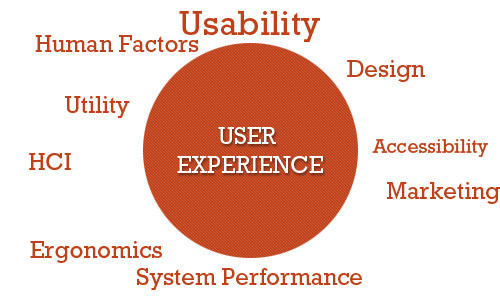
Those who work on UX (called UX designers) study and evaluate how users feel about a system, looking at such things as ease of use, perception of the value of the system, utility, efficiency in performing tasks and so forth.
UX designers also look at sub-systems and processes within a system. For example, they might study the checkout process of an e-commerce website to see whether users find the process of buying products from the website easy and pleasant. They could delve deeper by studying components of the sub-system, such as seeing how efficient and pleasant is the experience of users filling out input fields in a Web form.
Compared to many other disciplines, particularly Web-based systems, UX is relatively new. The term “user experience” was coined by Dr. Donald Norman, a cognitive science researcher who was also the first to describe the importance of user-centered design (the notion that design decisions should be based on the needs and wants of users).

Why Is UX Important?
Nowadays, with so much emphasis on user-centered design, describing and justifying the importance of designing and enhancing the user experience seems almost unnecessary. We could simply say, “It’s important because it deals with our users’ needs — enough said,” and everyone would probably be satisfied with that.
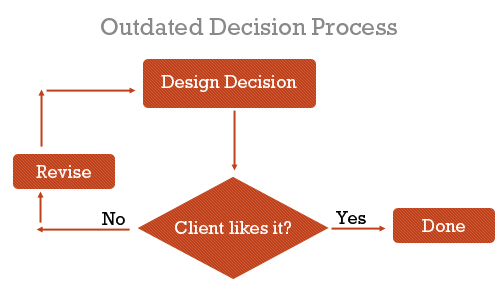
However, those of us who worked in the Web design industry prior to the codification of user-centered design, usability and Web accessibility would know that we used to make websites differently. Before our clients (and we) understood the value of user-centered design, we made design decisions based on just two things: what we thought was awesome and what the client wanted to see.
We built interaction based on what we thought worked — we designed for ourselves. The focus was on aesthetics and the brand, with little to no thought of how the people who would use the website would feel about it.
There was no science behind what we did. We did it because the results looked good, because they were creative (so we thought) and because that was what our clients wanted.
But this decade has witnessed a transformation of the Web. Not only has it become more ubiquitous — the Web had at least 1.5 billion users globally in 2008 — but websites have become so complex and feature-rich that, to be effective, they must have great user experience designs.
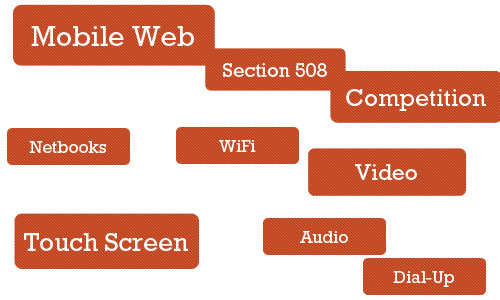
Additionally, users have been accessing websites in an increasing number of ways: mobile devices, a vast landscape of browsers, different types of Internet connections.
We’ve also become aware of the importance of accessibility — i.e. universal access to our Web-based products — not only for those who with special requirements, such as for screen readers and non-traditional input devices, but for those who don’t have broadband connections or who have older mobile devices and so forth.
With all of these sweeping changes, the websites that have consistently stood out were the ones that were pleasant to use. The
What Situations Would Benefit From UX Design?
Saying that all Web systems would benefit from a solid evaluation and design of the user experience is easy; arguing against it is hard if you care about user-centered design at all. But we don’t live in a perfect world, and we don’t have unlimited resources. Thus, we must prioritize and identify the areas that stand to gain the most from UX design and UX designers.
Complex Systems
The more complex the system, the more involved will the planning and architecture have to be for it. While investing in a full-blown multi-member UX study for a simple static website seems excessive, multi-faceted websites, interaction-rich Web applications and e-commerce websites stand to benefit a lot from UX design.

Systems that involve a myriad of user tasks must be perceived as being valuable, pleasant and efficient. Designers risk big losses in revenue by neglecting the user experience.
Start-Ups
Start-ups and smaller companies generally do not have the resources to hire dedicated employees for this. For example, 37Signals, a lean start-up company that builds highly successful and robust Web applications, including Basecamp and Highrise, relies on well-rounded individuals, people who can “wear different hats.”
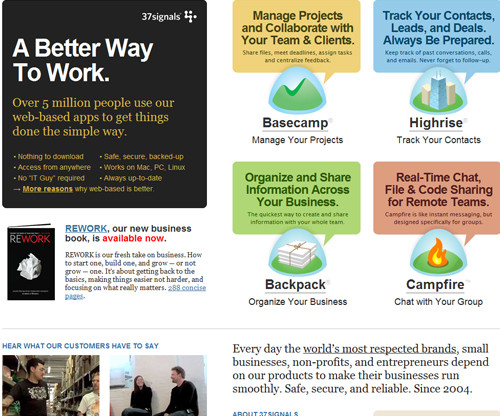
In this situation, training existing employees (specifically, the Web designer) in the principles and processes of UX, or contracting out the UX work as needed, might be more suitable than hiring a full-time employee. However, creating a solid user experience for users in the very first versions of a product or service can certainly make it stand out and attract users’ attention. But as the owner of a start-up, sometimes you may just not have enough resources for hiring a skilled UX designer.
Projects With “OK” Budgets
Smaller agencies that work for small and medium-sized businesses need to keep costs low for the customer base and prioritize deliverables in order to stay on the budget. The focus in these situations is more on the build process and less on planning, research and analysis. Projects with small budgets will be driven more by the launch of the final product. That doesn’t mean that these projects wouldn’t benefit from the good UX — of course they would — but in practice, small or medium-sized companies often do not feel compelled to invest resources into something that is not necessary for the launch of the site.
Projects With Longer Timeframes
By simple logic, adding a cog to the traditional website production process will extend the timeline. Time must be allotted for user experience design. UX designers could, in theory, shorten timelines by taking on some of the tasks traditionally assigned to Web designers and developers, thus potentially saving time and costs in revision phases by having addressed user issues.
Things To Know About UX Design
UX design is an amazing discipline, but it cannot, or will not, accomplish certain things.
UX Design Is Not One Size Fits All
User experience design won’t work in every situation for every user because, as human beings, we are all different. What works for one person might have the opposite effect on another. The best we can do is design for specific experiences and promote certain behaviors, but we can’t manufacture, impose or predict the actual experience itself.
And just as we can’t design a user experience, we can’t replicate the user experience for one website exactly on another website. User experiences will be different between websites. a design must be tailored to the goals, values, production process and products of its website.
Can’t Be Directly Assessed With Traditional Metrics
You can’t determine the effectiveness of a user experience design based solely on statistics such as page views, bounce rates and conversion rates. We can make assumptions, and we can ask users for anecdotal evidence, but we can’t install an app (at least not yet) that automatically records user experience statistics directly.
Not the Same Thing as Usability
User experience and usability have become synonymous, but these two fields are clearly distinct. UX addresses how a user feels when using a system, while usability is about the user-friendliness and efficiency of the interface.
Usability is big part of the user experience and plays a major role in experiences that are effective and pleasant, but then human factors science, psychology, information architecture and user-centered design principles also play major roles.
Criticisms Of UX As A Profession
Not everyone sees the value of having a UX designer on the team. Arguments against hiring UX specialists revolve around the perceived associated costs, redundancy in skill set and fear of change.
Yet Another Thing to Worry About
The traditional website production process, especially at small agencies and start-ups, whose resources aren’t as deep as they’d like, consists of one Web designer and one Web developer. The Web designer might be the one who develops the user experience, along with other tasks such as designing a wireframe and functional prototype, while the developer builds the production website as specified by the designer. A UX specialist only complicates this process.
Too Far Removed From the Process
A few people in the business of building websites believe that UX designers are too far removed from the actual process. Ryan Carson, founder of Carsonified and a leading voice in the Web design industry, for example, has criticized UX professionals who aren’t “involved in the day-to-day process of designing, building, testing, marketing and updating a Web project.”
This view of the profession basically says that UX professionals with no background in the actual process of building websites can’t devise solutions as expertly as people who create the actual products.
However, many UX professionals do have a background in the build process; many were Web designers or developers who chose to specialize in this particular area of the production process.
Adds Expense
Simple logic dictates that hiring a UX person costs money (unless they’re willing to work for free, and none are).
A counter-argument is that we should look at UX design as an investment. Although the benefits of UX are not as readily apparent as those of other parts of the website or application, it can lead to higher returns later on. For example, a simple improvement in the user experience design of a checkout process could increase revenue by millions of dollars.
Results Are Not Directly Measurable
Evaluating the effectiveness and return on investment of a UX design using quantitative measures is difficult. This is because the field is subjective. UX deals with users’ emotions, and you can’t put a number on it the way you can with page views, loading speed or conversion.
Instead, we have to tease out the results indirectly by analyzing revenue levels, page views, before-and-after surveys of users and the like. However, saying that any positive effects are the result of a better user experience or aesthetics or some other factor, such as improved marketing or front-end performance optimization, would be inconclusive.
The difficulty is in trying to quantify effects that are subjective in nature. We have to rely on qualitative evidence.
Tasks And Techniques Of UX Designers
UX designers perform various tasks at various points in the process. Here are a few things that they deliver.
Evaluation of Current System
If a system already exists, a UX professional will holistically evaluate its current state. They will report issues and suggest fixes based on their analysis of research data.
A/B Testing
A UX specialist might devise a study to compare the effectiveness and quality of experience of different user interfaces.
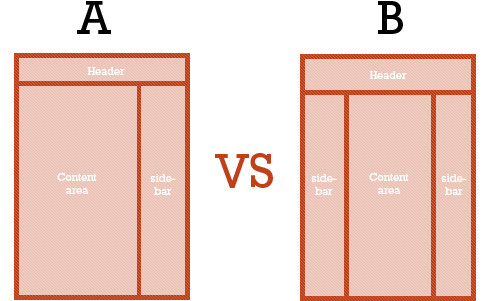
This is done by stating a hypothesis (e.g. “A green button is more attractive than a red button.”), proposing or creating multiple versions of a design, defining what a “better experience” means (e.g. “The green button is better because users clicked it more.”) and then conducting the test.
User Surveys
A UX designer could interview existing and potential users of the system to gain insight into what would be the most effective design. Because the user’s experience is subjective, the best way to directly obtain information is by studying and interacting with users.
Wireframes and Prototypes
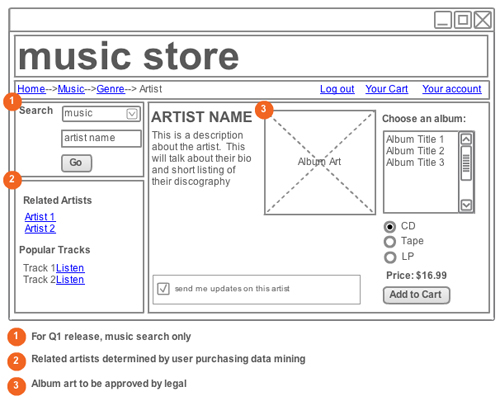
Based on their findings, UX specialists might develop wireframes of different layouts and perhaps also higher-fidelity prototypes.
User Flows
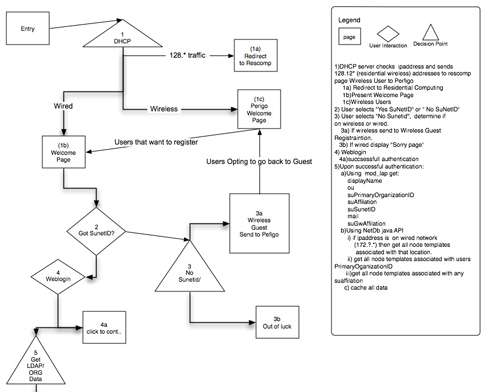
Designing how users should move through a system is another popular deliverable.
Storytelling
By engaging the emotions of users and drawing on familiar elements, UX designers tell stories and teach information. Learn more about the value of storytelling in the context of UX in the two-part post “Better User Experience With Storytelling.”
Design Patterns
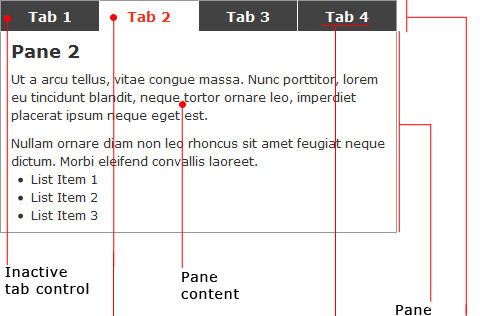
Patterns provide consistency and a way of finding the most effective “tool” for the job. With user interface design patterns, for example, picking the right UI elements (e.g. module tabs, breadcrumbs, slideshows) for certain tasks based on their effectiveness leads to better and more familiar experiences. UX designers not only propose design patterns that are used on other websites, but develop custom patterns specifically for the current project.
User Profiles and Personas
Knowing your audience is the first step in UX design and enables you to develop experiences that reflect the voice and emotions of your users. Personas can be developed using website data.
Content Inventory
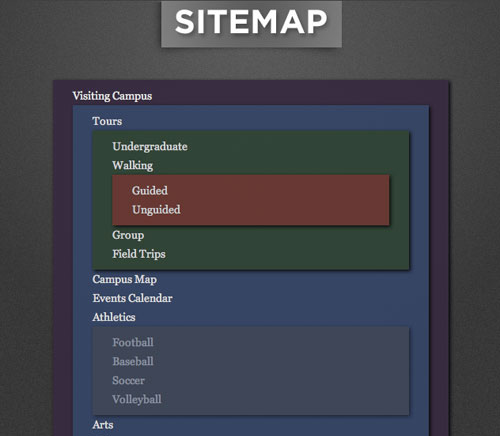
In the simplest of terms, content inventory is an organized list of pages on a website. Doing a content inventory is a step towards proposing changes in information architecture to enhance the user experience (e.g. user flow, findability and efficiency).
Content Style Guides
Consistency is critical to crafting a memorable user experience through your brand. Content style guides give writers and designers a framework in which to work when creating content and developing a design, and they also ensure that the brand and design elements align with the owner’s goals.
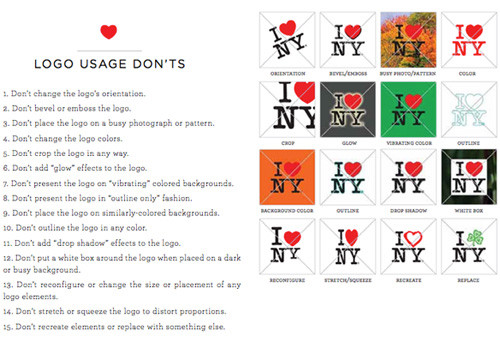
I Love New York’s branding guidelines.
There are plenty of other UX design deliverables; check out this more complete listing.
Tools Of The Trade
Here are a few popular and easily accessible tools for UX professionals. The tools aren’t exclusive to UX professionals; developers, designers and interaction designers, among others, use them as well.
Wireframing and Prototyping Applications
Wireframing and prototyping can be done simply with pen and paper. Paper prototyping, in particular, has many benefits, such as being inexpensive, conducive to group prototyping and quick and easy to produce.
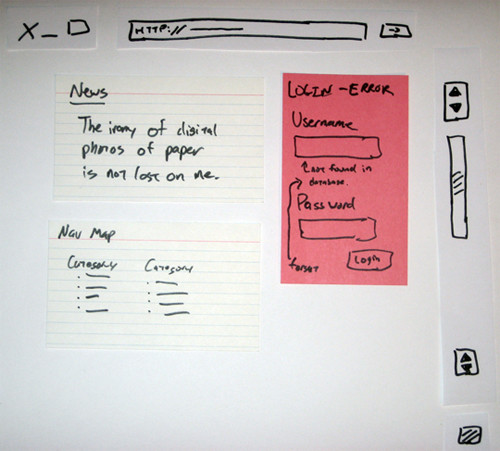
Some software-based wireframing and prototyping tools are:
A/B Testing Software
A/B testing (also known as split testing or multivariate testing) compares different versions of a page, and it can be conducted with any of several programs.
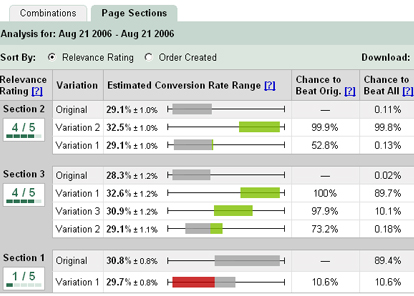
Basically, A/B testing software splits a website’s traffic into two equal segments. One group sees version A, and the other group sees version B. Statistics such as conversion rate and bounce rate are tracked for each version. Split testing determines which version is better based on these statistics. One of the most popular applications for A/B testing is Google’s Website Optimizer.
Content Inventory Software
There are plenty of methods of conducting a content inventory. Using an on-site server application (for which you’ll require access to the Web server) is best for production websites; being closer to the source than third-party software, these applications will naturally be more accurate and efficient. You can use as simple a tool as Excel to create and manage a content inventory (check out the GetUXIndex() template).
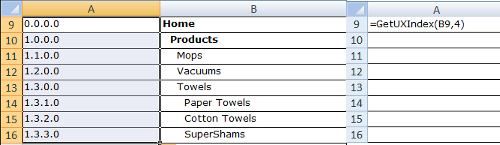
Websites built with content management systems such as WordPress and Drupal typically have built-in tools that show a map of the existing website.
User Testing and Feedback Software
Interviewing users is another popular UX design task. The most effective and cost-saving way to do this is with a surveying or feedback app and remote user testing.
User feedback tools are abundant. General survey tools such as PollDaddy are flexible solutions that can be used for other tasks, too. There are usability-specific feedback tools, such as Usabilla, and remote user-testing services, such as Feedback Army, which administer usability tests on reviewers.
Analytics Software
UX designers can analyze traffic statistics to hypothesize what types of experiences would be most effective for the audience of the website.
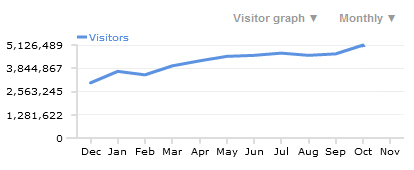
Let’s say the data indicates that the most popular browser for a website is Google Chrome. Google Chrome is regarded as a power user’s browser (as opposed to Internet Explorer, which is more mainstream). From that assumption, a UX designer can craft user experiences that appeal to power users and tech-savvy people.
A feature-packed and free analytics tool is Google Analytics.
Websites About UX
Plenty of websites cover the topic of UX. Here are a few of them.
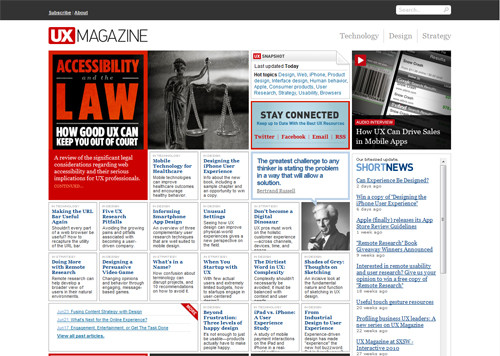
UX Magazine
UX Magazine is a high-quality resource that publishes discussions on ways to enhance the user experience.
UX Booth
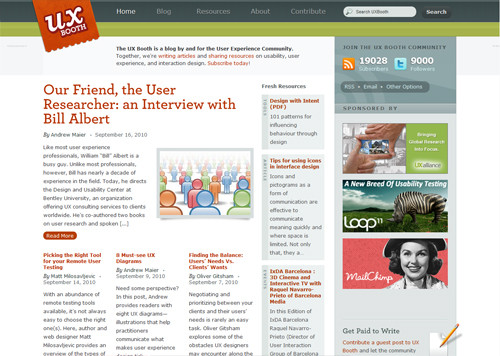
UX Booth is a multi-author blog catering to the user experience community. It also covers usability and interaction design.
User Interface: Stack Exchange
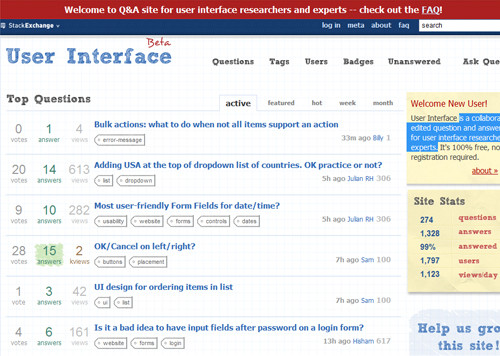
Still in beta, UI Stack Exchange (part of the Stack Overflow network) is a collaboratively edited question-and-answer website for user interface researchers and experts.
Stack Overflow
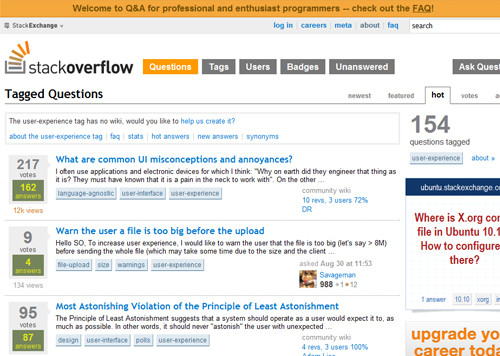
Stack Overflow, a popular programming Q&A website, has awesome question threads tagged with UX and Usability.
UX Exchange
UX Exchange is a community-driven website where members can ask about user experience and UX-related fields such as usability, accessibility and interaction design.
User Interface Engineering
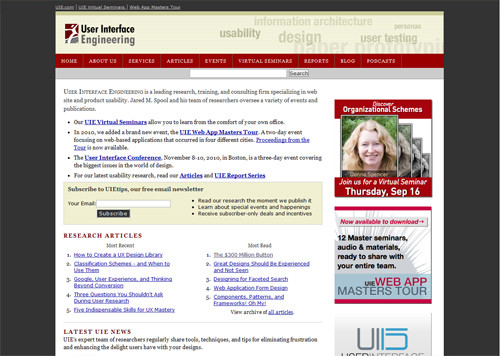
UIE is the largest usability research organization in the world. It publishes articles and research findings on its website.
UXmatters
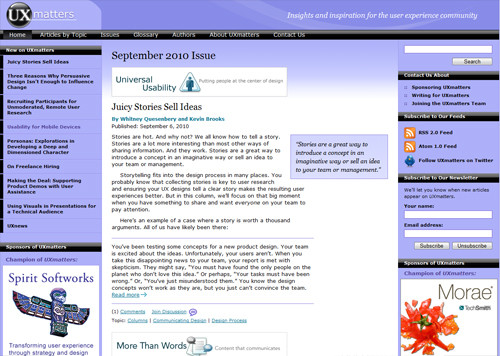
UXmatters is a Web magazine that publishes content on user experience strategies, information on the UX discipline and more.
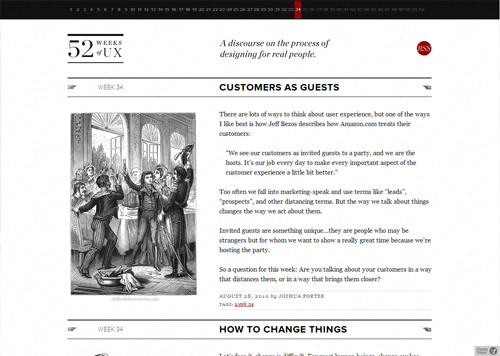
52 Weeks of UX
This website by Joshua Porter and Joshua Brewer covers topics related to “the process of designing for real people.”
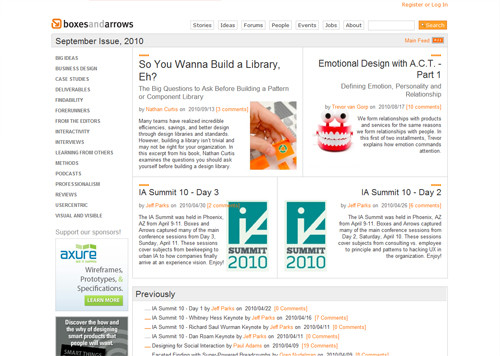
Boxes and Arrows
Though Boxes and Arrows describes itself as being “devoted to the practice, innovation and discussion of design,” the website regularly publishes top-notch articles about UX.
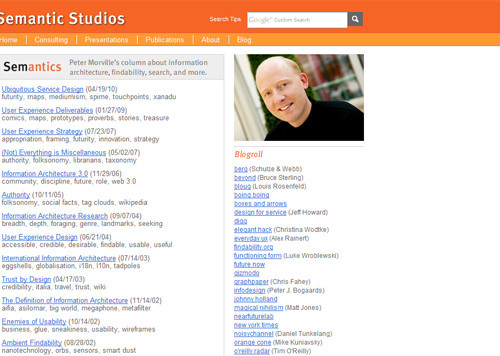
Semantics
Peter Morville, founder of Semantic Studios, a leading information architecture, user experience and findability consultancy, writes about user experience (and related topics) in this Web column.
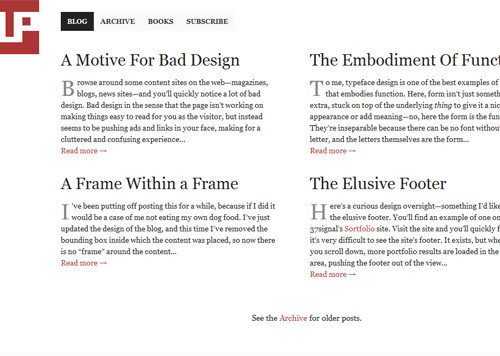
UsabilityPost
This blog by Dmitry Fadeyev is about design in the context of function.
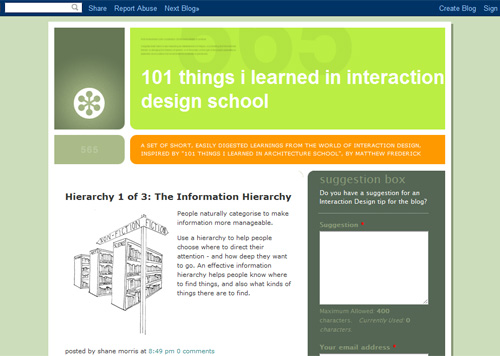
101 Things I Learned in Interaction Design School
Interaction design is intimately related to UX, and this blog offers short and “easily digestible” posts on the topic.
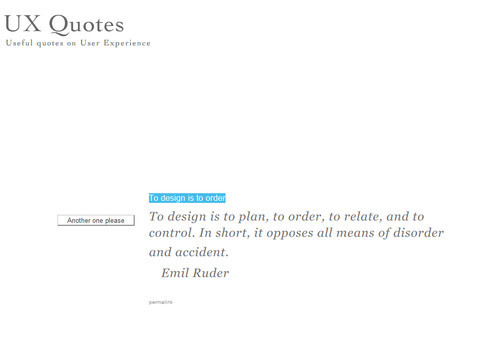
UX Quotes
This website provides quote snippets on the topic of UX.
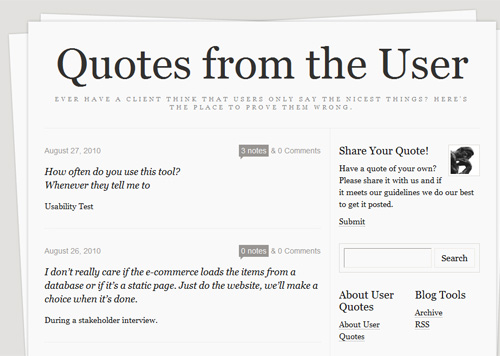
Quotes From the User
User experience is all about the user (which is why personas are important). This Tumblr blog tells the story of UX from the perspective of the user by featuring quotes by users of various systems.
everydayUX
This blog by the head of product at FourSquare (a popular location-based social networking service), Alex Rainert, often covers his thoughts on information and interaction design.
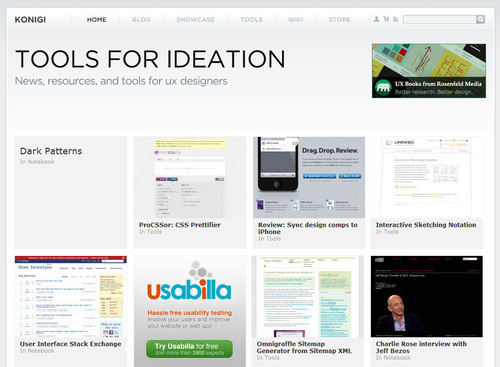
Konigi
Konigi indexes news, resources and tools for UX designers (in a nice gallery layout that makes browsing the website easy).
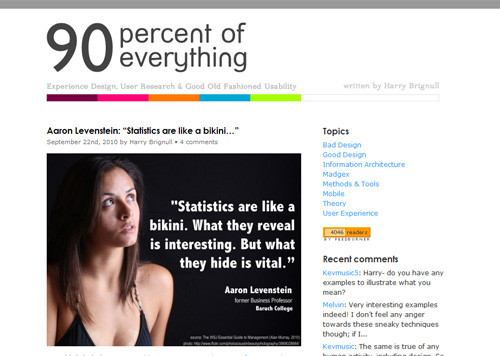
90 percent of everything
This blog by user experience lead Harry Brignull covers information architecture, user experience and the nature of “good design.”
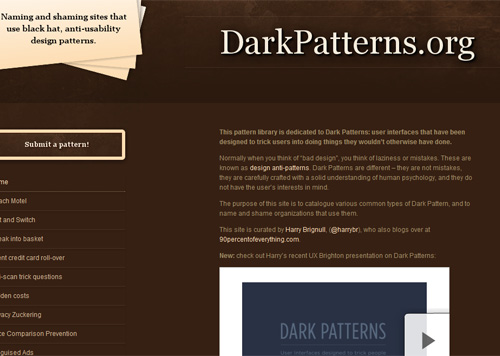
DarkPatterns.org
This design pattern library discusses common tactics for decieving users, which can help UX designers locate patterns to avoid if they want to create a positive user experience.
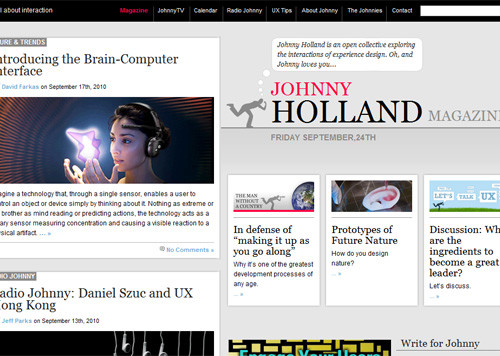
Johnny Holland Magazine
This Web magazine is about interaction and UX design. Be sure to check out the UX Tips section, which indexes tweets hashed with #uxtips.
UX Pond
UX Pond is a search engine dedicated to UX-related content.
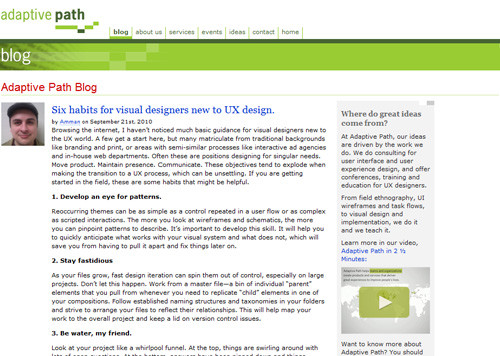
Adaptive Path Blog
Adaptive Path, a leading user interface and user experience design firm, runs a blog with useful content on UX and UI design.
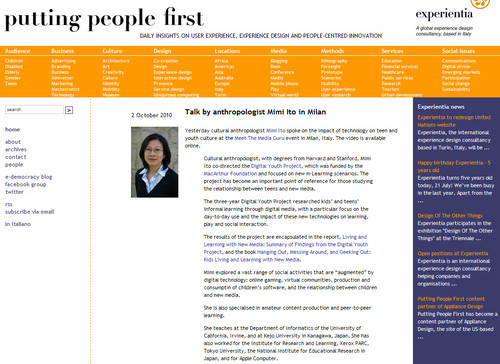
Putting People First
This portal provides links, articles, resources and news about UX and “people-centered innovation,” curated by the Italy-based experience design company Experientia.
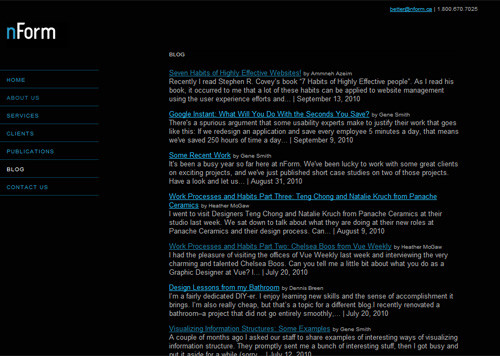
nForm Blog
The blog of nForm (a consulting team focused on user experience) publishes great content relevant to UX designers.
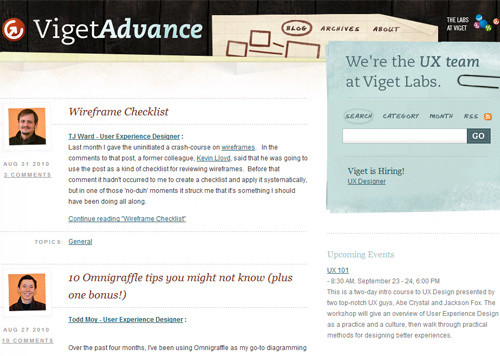
Viget Advance
The UX-related blog of Viget Advance, a website production company.
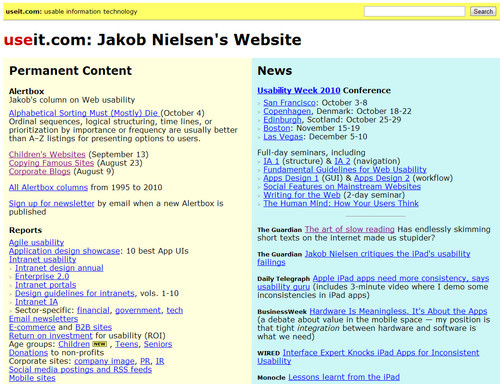
useit.com
Highly-respected usability researcher and ground-breaking author, Jakob Nielsen, writes a column named Alertbox on the topic of usability and UX.
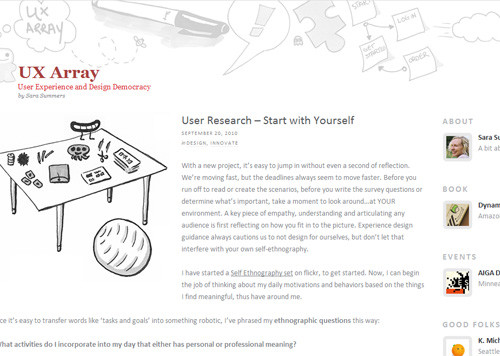
UX Array
Sara Summers, user experience evangelist for Microsoft, blogs about (you guessed it) UX on her blog.
UI and Us
UI and Us is “about user interface design, user experience design and the cognitive psychology behind design.”
UX Storytellers
UX Storytellers uses one of the profession’s methodologies (storytelling) to tell the stories of UX, UI and IA professionals.
Further Reading on UX Design (and Related Fields)
- 25 User Experience Videos That Are Worth Your Time
- Can Experience be Designed?
- Userfocus Articles and Resources
- UX Myths
- User Experience Publications (curated by Nick Finck)
- 10 Most Common Misconceptions About User Experience Design
- 8 Must-See UX Diagrams
- UX Professional Isn’t a Real Job
(al)


Pieter
October 5th, 2010 4:50 amMy official job description is Interaction Designer but I do the exact same things described in this post and have a background in both HCI and Psychology. I’ve always questioned what the difference between IxD and UX is. Do you have any clear answers of your own? just curious… I was always under the the assumption that most UX’ers are more on the side of concept development, creating persona’s and doing the usability researches whereas the IxD’ers are more on the side of doing the actual wireframing, and mockups. (Most of us probably do all of the above though)
srimanth
October 6th, 2010 6:37 amIts a great resource for me to make myself good UX designer. great and thanks.
Adrian
October 5th, 2010 5:02 amAwesome resources. Thanks!
Ramm
October 5th, 2010 5:09 amSo what do designers do? Yes, the ol’ plain “designer” who spent years studying “design”.
Pete Karabetis
October 5th, 2010 6:49 pmAdapt!
I am “classically” trained as a graphic designer and realized very early on that my print skills would need an overhaul for the web. I found my home with Information Architecture, but have already branched out into other web arenas that help my field: Ux, user-testing, user personas, content management…
Every little bit helps make you a well-rounded web professional that can easily communicate with other people in your field.
Someone should make a “blend” chart that shows how one web profession utilizes the skills of another.
Nikita
October 5th, 2010 5:10 amThanks Jacob, you shared something new.Good presentation by using charts. Liked very much.
:)
Daniel
October 5th, 2010 5:14 amAn excellent and informative article.
Chris McQueen
October 5th, 2010 5:28 amGreat post and some really useful resources, especially for the fledgling UXer. However, that ‘User Flows’ diagram is UUUGLEEE!
As UX designers we’re judged on our ability to produce good looking deliverables… We call ourselves ‘designers’ so we should, at the very least, keep things in line. Dan Brown’s book, Communicating Design is great at covering the basics of this. Whilst we don’t have to produce the same ol’ stale looking docs, we should follow the best practises and keep things tidy.
Abhinav Kaiser
October 5th, 2010 5:43 amUX designer becomes necessary in enterprise products where billions are involved, and when their products are not on the public domain. I have worked with top companies such as SAP Labs who have a real need to employ UX designers. In fact, they have multiple UX designers working on a single project at times.
However, if a product is on a public domain, we can easily eliminate UX designers’ need by asking users to fill out a survey based on their experience. This feedback which you receive through users is much more precious than any UX designer. This concept is spoken at length in the book Wisdom of the Crowds(http://en.wikipedia.org/wiki/The_Wisdom_of_Crowds).
Federico
October 5th, 2010 6:27 amCareful though. Users might tell you what they need, or what they *think* they need, but not necessarily their actual problem with a given interface, therefore the need of a UX guy who can tell that difference, and can understand the crowd’s need to come up with a proper solution.
David Fiorito
October 5th, 2010 6:00 amI hate to come off as overly critical because this article does capture some of the key aspects of User Experience Design. However, I believe that the article misses some of the fundamental aspects of our craft, and gets a few things wrong.
UX is not just about interface, and it most certainly is not just about how things “feel” to a user. UX has strategic aspects that involve a deep understanding of the business model and processes that our clients use. It also involves understanding the larger context in which our users operate, and discovering what part our client’s products and services play in their lives. It also involves reaching a deep understanding of the technology used to deploy the digital systems we design.
The UX “sweet spot” is pulling these three things together to create solutions that meet the needs of the client, the user, and work within the bounds of the technological platform.
UX is actually a family of diciplines. An effective UX team focuses on Information Architecture, Interaction Design, and Information/Visual Design. Of course there can be a UX team of one, but that individual needs to have a broad set of skills to cover all three of those roles.
The artifacts of UX design go far beyond the wireframe, flows, and site maps. UX design involves controlled vocabularies, mental models, ethnographies, swim lane diagrams, and many other forms of deliverables.
Our methods run the gamut from contextual inquiry, to card sorting, to free form sketching exercises, to all manner of qualitative and quantitative methods.
My chief concern about this article is that it reduces the UX discipline to the stereotypical wireframe jockey concerned with look, feel, and flow. The discipline is far more varied, far deeper, and far more strategic than it is made out to be here.
cancel bubble
October 5th, 2010 8:59 amAwesome comment – would love to see you do a follow-up post in much more detail here on SM.
David Fiorito
October 6th, 2010 7:26 amThanks. Kind of shocked to see a +18 on my comment. Must have struck a cord. I have been meaning to write an article like this for boxesandarrows.com but who knows, maybe I will submit it here instead.
Thomas McGee
October 5th, 2010 12:52 pmVery good points. Some very good examples were given in this article, but it is true that many times UX and design in general can make things like “look” and “feel” the focus rather than the cold hard facts, and a deeper understanding of the industry. Along with this is the importance of adapting everything to meet the clients needs, rather than a designers tastes. As with most anything else in the industry, it’s not so much feelings that makes the difference, but effective marketing that moves the user to take the action you want.
Ivo Bosma
October 5th, 2010 6:07 amVery impressive overview, which gives a good view on UX (and the tools you can use).
Fernando
October 5th, 2010 6:10 amExcellent post
Really useful.
Thanks a lot.
Shawn Johnston
October 5th, 2010 7:28 amNow that is one heck of a comprehensive post. Thanks so much, there’s so much info here it’ll take me days to get through it all.
About 1 year ago, I’ll implemented a formal (had previously been informal) wireframing and planning stage to all my web projects and it’s had a measurable positive effect on the progress of my web projects. I can’t overstate how important it is for ALL developers and designers to do even a minimal planning stage for all their projects.
Tomáš Kapler
October 5th, 2010 7:43 amit is very interesting how many UX related webs provide very poor user experience ;-)
Michiel Ebberink
October 5th, 2010 9:21 amI try to combine user centered design with great visual design. Instead of just doing UX or Visual design alone. Works better for clients and me because this way I actually am “involved in the day-to-day process of designing, building, testing, marketing and updating a Web project”
Thanx for sharing the great resources.
Thomas Petersen
October 5th, 2010 10:13 amYou forgot to mention UXBasis.com!
Paul Veugen
October 5th, 2010 11:20 amThanks for mentioning Usabilla as one of the tools to test usability. We’re experimenting with user experience orientated tests as well. Larger scale experiments with questions like “What makes you trust X?”, “What draws your attention?”, or “What’s the most important?” provide valuable insights in the user experience. These tests help our users finding answers about attitude using both quantitative and qualitative feedback. You can find example cases on our blog: http://revw.us/cGfrp7.
Esben
October 5th, 2010 11:47 amI have been studying digital communication and it seems like the whole education can be found in this article. Very good job!
John Griffiths
October 5th, 2010 11:54 amNice work pulling all these together.
Javier Mateos
October 5th, 2010 12:18 pmReally cool. I appreciate the work and effort on the article. Loved it.
Valerie
October 5th, 2010 1:05 pmMany thanks for a great article, with some great resources!
joanne
October 5th, 2010 1:43 pmReally good post but gives a narrow perception of UX. The value of user experience design is not limited to the web or even the world of digital. High quality User experience is relevant to many other areas of design such as product or device design, communication design (specifically way finding) and design for the built environment etc.
Knowledge of how it is applied, and tools used, in disciplines like these can greatly improve the tools currently developing within the web & digital world. Alot of the risks and issues discribed in this post also exist in these disciplines, who are developing interesing and pertinent ways to deal with them. Knowledge transfer and dessemination is key to business understanding and valuing UX
Okibi
October 5th, 2010 4:34 pmHaving worked on websites since the mid 90s, UX was always a consideration. Sure it’s become more of a science but we weren’t all blinded by awesomeness for clients sites (perhaps we were when we let our own website open full screen). Before the internet boom software developers were already studying UX to improve their products. Rather than users consider UX as some modern shift in web development which is what I feel the article implies i’d rather smashin’ users think it was more of an organic process where the industry grew big enough to support full time UX experts or justify academics receiving research grants to monitor and assess users. I think there’s a real struggle where websites are being sanitised to suit accessibility and UX whitepapers. Trying to keep sites visually rich and engaging while meeting accessibility standards and UX conventions is the real art to being a web designer today.
Cliff
October 5th, 2010 5:21 pmYou think Facebook had a UX person on staff while they were mushrooming? NO.
The last startup I worked for, funded by $5 million, with a great idea and a great development team, led by a successful founder of a previous internet venture was brought down by crummy UX.
Idraki M.
October 5th, 2010 6:20 pmNow I know what UX means. Shame on me.
Helge Fredheim
October 5th, 2010 6:29 pmThanks for making it clear that “we can’t design a user experience”! I think you’re correct where many other authors are fundamentally wrong. UX is so complex, and depends on both the user’s previous experiences and expectations as well as the context in which s/he uses your product; hence it cannot be designed.
However, it is possible to design for and intended experience. But no one knows if your product will be perceived as intended.
Ravikumar Vadde
October 5th, 2010 7:43 pmReally cool article.
Especially “could increase revenue by millions of dollars(The $300 Million Button)”.
Thanks for sharing the great article and resources.
Gary simon
October 5th, 2010 8:18 pmNice post.
For those of us who run their own sites/products/services, the best way to improve user experience is through A/B & multivariate split testing. The hardest part about doing it is getting over your own ego and assuming you got the design/layout right the first time around ;)
Awesh
October 5th, 2010 8:30 pmWow article.. i was looking for UX related articles :)
Bert de Weerd
October 5th, 2010 11:21 pmGreat article! I think it shows in a clear way what an interaction designer or UX expert does for work. I would recommend my non-it related friends to read it…
Web3mantra
October 5th, 2010 11:27 pmThanks for sharing this post.I like this post.It contains many good examples for designers.
dhaval shah
October 5th, 2010 11:47 pmFantastic Post Jacob Gube,
You have share a lot for me! it help me lot to do anything in UI IX.
Thanks Again
pipjonesdesign
October 6th, 2010 12:07 amah, so THAT’S what they do!
Lauren
October 6th, 2010 12:53 amAs always, great article Smashing guys!! I love this site…
One comment – there’s a new (relatively) wireframing tool called Flairbuilder – not free, but worth the 99$ license for those of us forced to work on Windows. It makes very simple high-fi prototypes quickly and is easy to learn. It’s helped me a lot.
Arthur Abogadil
October 6th, 2010 2:34 amDidn’t know there were so many sites about UX. Thanks for this post!
Eugene
October 6th, 2010 4:46 am**We can make assumptions, and we can ask users for anecdotal evidence, but we can’t install an app (at least not yet) that automatically records user experience statistics directly.**
Clicktale
Kaishin
October 6th, 2010 5:26 am‘UX design’ is a misleading term. Experience CANNOT be designed, only audited.
I won’t copy paste my whole article here, read it by following this link http://kaishinlab.com/user-experience-not-designed/
And no, I am not trying to advertise my site. Far from that.
Terry
October 6th, 2010 5:45 amI found this article interesting and the resources you include have good value. I have to agree with a few of the posters here that, there is little value in UX as a subjective notion of “look and feel.” This plagued web design early on by playing into the myth that our “good design” was user friendly and intuitive. If the user couldn’t navigate the site, well, they just didn’t see our genius. I’d also be wary of relying on “we know our customers” – most bad design decisions I’ve seen start with “we know our customers” – if you’re saying that without research, analytics and conversation, you don’t know your customers. I’m still not quite convinced that UX is it’s own field of work versus UX as the result we achieve through good website architecture, research, usability, good benefit and brand expression, but it is a thoughtful article to think about.
Djonckheere
October 6th, 2010 10:58 amI give up…the comment submissions are clearly broken here.
I keep getting flagged for spam –perhaps I’m using bad words? –ironic, this article is about user-experience and the comment I wanted to post just keeps getting blocked…weird.
rehaan
October 6th, 2010 9:39 pmHey Thanks for such great and detail article
Adriaan Fenwick
October 6th, 2010 10:18 pmThanks for an excellent article! It is always difficult explaining exactly what UX is and why and how it should be used within our industry, this article makes it a lot easier.
Web3mantra
October 6th, 2010 11:14 pmThanks for sharing this post.I like this post.It contains very good collections of tools and resources of web design.
scott
October 7th, 2010 10:18 amI know what an example of bad UX is! When you’re reading an article and well after the page has loaded and your 2 sentences into the post an Ad banner loads at the top and pushes all the text down making me lose my spot where I was reading. Happens every time I’m on SM!
Nicholas Swanson
October 7th, 2010 10:37 amYet again, a great article. Brevity be damned, I was glued to the screen throughout the entire piece. Everything has been laid out in a clear manner, with great explanations. Jacob, you are the man.
Boris
October 7th, 2010 1:08 pmYet another one well done coverage on UX. Thank you.
Maaike
October 8th, 2010 10:05 pmGreat article very detailed and a fantastic source. You might also like to add another website: http://www.pinkmoose.fi as a resource for UX :-)
Ramesh Babu
October 10th, 2010 6:32 amFantastic and focussed coverage of UX which would make sense to even a layman. Not to speak about the comments – they are very relevant and useful.
Morgan and Me
October 10th, 2010 9:33 amThis is just the direction all of us should be basing our design logic on. An absolute article on UX and it’s application. *thumbs up.
tewoos
October 10th, 2010 12:19 pmMy company sent me to ux course for 3 days… This article was really awesome after the course. Thank you.
Stu Collett
October 11th, 2010 3:54 amGreat article guys.
Erik Reppen
October 11th, 2010 6:48 pmSorry, but I can’t help but feel like academia has invented a new profession and foisted it on us without consulting web professionals who came up through hard-earned experience. I do believe the subject is one we should all have an interest in but at the very least I challenge the merit of a profession whose sole focus at an organization is UX design.
Ultimately the problem is that you have to justify your existence when the rest of us are actually dealing with these awkward plans that we’re no longer trusted to have any part in making. What does the UX designer do? You plan some more. You share your plans. You talk about your plans with each other and show them off to management. You add features. They get excited. And before you know it some top dog in the company is saying how impressed they are with the fact that “it’s just like a desktop app!” and wants to add a few suggestions of their own in since they know all about using desktop applications.
Meanwhile, the people who once offered no small measure of benefit from the 15 years of accumulated learning and knowledge about what is good and what is awful on the web from practical experience and advice handed down and written about at length by people we respect, have to pinch our noses as we design, redesign, develop, and redevelop what in my experience has typically at best been an occasional good idea buried under complete rubbish.
At the real core of the issue is the fact that you’ve taken the entire conceptualization process and pulled out it out of the hands of the devs and designers, people who could have told you (if anybody bothered to ask) that what you are excited about has been attempted, has been a popular favorite with clients/stakeholders for years in fact, and that it’s a bad idea, why it’s a bad idea and then cite live examples of said bad idea in action along with the sorts of arguments we’ve learned to make that finally get (some) client/stakeholders to see reason (on a good day).
I would like to challenge some ideas here:
“The more complex the system, the more involved will the planning and architecture have to be for it.”
This has been a chief source of pain for me as a Front End Developer. Over-planning. The idea that you can take something of serious complexity and then just plan it all out right down to the exact bells and whistles of the UI is to me as a developer a rookie mistake. Good design doesn’t happen without planning but it also needs some room to grow organically in order to maintain focus ironically enough. By over-planning, you tend to lose the main focus of your functionality by getting lost in the minutiae. The solution is iterative development. Architect the basics and then get it off the ground in as crude and simple a version as you possibly can and then explore it. Add layers. Add features and see for yourself how well they work but never ever forget to evaluate those features on whether they enhance or frustrate the core experience you’re shooting for because everything you add takes something else away. That’s a principle any decent print designer could have taught most of the UX designer/engineers I’ve ever worked with.
The over-planning is also one of those things that tends to turn the UX crowd into tools of bad management. You feed them the lie that they’ve always wanted from the rest of us, the idea that the entire process is 100% quantifiable and can thus be made 100% predictable. And from there many problems begin.
“Because the user’s experience is subjective, the best way to directly obtain information is by studying and interacting with users.”
Translation: Because for the majority, the corporate experience is one of fear of being singled out for making a lousy call or decision, one’s own basic judgment and faculties for common sense are not to be trusted. /Translation
What is it going to take to bust the myth of focus groups and polls and surveys being more important than taking the occasional risk on our personal evaluations of an experience? FFS, “classic rock” stations were playing the same set for 25 years. Can we maybe start to talk about how trying to cover our butts at every decision may have resulted in lost opportunities?
It is this ridiculous belief that you can create anything worth experiencing through a completely objective and easy-to-predict process that is at the core of everything wrong with modern media. I’m not saying you should completely ignore user feedback but don’t ask for permission to implement features from people who have never even thought about your problem before! Hell, I probably would have given an enthusiastic thumbs up to those new-fangled “Flash Splash Screens” before thinking about how irritating it would be to constantly have your interactive experience interrupted by neat-o animated passive ones.
If I seem a little ardent about the subject, allow me to present a few examples of things I’ve been privy to on household-name client’s sites that I believe were planned or given the nod by UX designers and/or variations on that theme of profession.
On I think at least three occasions now, I have seen large custom tooltips appear on hover over clearly labeled buttons with the same or very similar label. In two of those cases, the tooltips ended up making it awkward to interact with the widgets they were a part of (they were of course designed much larger than normal tooltips).
I have seen forms buried within a popup modal within a modal within a pop-up modal. None of that was a typo or a run-on.
I have seen more menu bars than I can count. Menu bars, inside widgets within windows. And they never want them to work the way all desktop app menu bars work either. You, the reader, stop right now, and click that file menu on any GUI OS window you have available. After you’ve moved the mouse down into the body of a menu, does it disappear when you hover off of it? Off course it doesn’t. That would be irritating because then you’d have to reopen it every time you got a little twitchy, especially on a smaller widget. Do we need more than basic reason and observation through our own experience to understand this? Are we at least moved by the fact that it’s something Apple and Microsoft actually agree on?
I have seen a point of decision to checkout process where once the customer had decided on a purchase, it took them multiple screens of random crap, upsells, legal butt-covering, re-establishing their location (which should have been available from their logged-in info) and then more up-sells before they could finally give us the money for the product they still miraculously wanted by the time they got to our 5 page checkout process to once again confirm all the crap they’d ever entered once before. To be fair, that wasn’t all the UX designers/engineers/IAs bag but I do believe that this on-going attempt to make the process seem quantifiable and predictable and thus accessible to management tinkering in places it inevitably wants to but shouldn’t had a lot to do with the mess being made.
What it really comes down to is this. When absolutely everything has been studied to death, the surveys are in, the A/B Testing data is collated, the wires with every feature and facet of UI is planned to the quantum level and management is finally feeling 100% convinced there won’t be a failure that can be attributed to a decision anybody actually made, you won’t have half the site you could have but rest assured it will be a much bigger PITA to build.
Erik Reppen
October 11th, 2010 8:15 pmWow. Sorry about the grammar issues. And the bitterness. Didn’t realize I was still mad enough to be a spaz about it.
Luca Servo
October 12th, 2010 6:12 amQuite a good intro to the topic. Anyhow, I would like to know more detail about the discipline itself and its key concepts to make my vision clearer.
Rob
October 14th, 2010 12:30 amNice Topic with lots of usefull information, ty!
Pavel Konoplitski
October 15th, 2010 5:26 amAbout UX and Usability In Russian
http://www.usability.by
Rebecca
October 15th, 2010 2:37 pmThis is a very good article!
I work for a very large company (12k plus employees). Within our IT department we have a UX Team consisting of 2 UX designers; 1 software engineer (myself), and 1 Software Architect. We’re a very diverse group of individuals, and also very misunderstood by most departments in the company. Everyone is always asking us, “what’s UX?”
Having UX designers and web developers on the same team is unique in itself. Slowly but surely we are becoming more recognized throughout the company.
….kudos to the author!
@ Erik Reppen, you have some very valid points as well
luke
October 16th, 2010 6:18 amthank you for wrapping your head around this phenomenon! i found it refreshingly reviewing of what i consider our tiger by the tail…
Old boy
October 20th, 2010 3:34 amMost of the tools and task you mention applies more or at least as well to usability or IA as to UX. I believe that the key in UX is how the user _perceives_ the product, this is also at least partly included in traditional definitions of usability as “satisfaction”.
Let’s look at two quotes from the article
“Those who work on UX (called UX designers) study and evaluate how users feel about a system, looking at such things as ease of use, perception of the value of the system, utility, efficiency in performing tasks and so forth.”
….
“UX addresses how a user feels when using a system, while usability is about the user-friendliness and efficiency of the interface.”
I think the second quote is the more accurate, since ease of use, utility, and efficiency in performing tasks mentioned in the first quote also fall under the “traditional” definition of usability.. as you say in the second quote.
Sajitha Jose
October 27th, 2010 7:03 pmIt was a great read!
Sara Summers
October 28th, 2010 12:33 pmAmazing compilation and thanks for the nod, Jacob!
Denise Iordache- Palkoo
November 9th, 2010 12:09 amThe line which described the situation of startups employees is so real. Are not very often cases when you can afford a highly qualified employee so your solution seems pretty fair.
@Palkoo,
Cathy
June 24th, 2011 1:24 amGreat post! Very appreciated, thank you so much.
Vidhya
July 19th, 2011 9:21 pmHi,
I am trying to get back to the IT industry after a sabbatical. I found this article very comprehensive and Mr.David’s candid feedback thought-provoking.Kudos to all of you! Great sharing!
I find this UX field very intriguing. Is there a bonafide/recognized certification on this?
Any feedback about the HCI certification is appreciated.
Thanks.
Jonathan Lumb
May 7th, 2012 5:09 amThanks for this article. Really impressive and useful for a web designer with a keen interest in developing his understanding of UX Design.
Marcin Treder
July 3rd, 2012 5:36 amGreat, informative article. Absolutely love it. I’m currently running my own company (http://uxpin.com), but I spent some time managing UX team and, now when I read it, I would recommend this article to all the interns.
So time passed since you wrote this piece, so no wodner you missed our tool – UXPin (http://uxpin.com). We’ve recently launched first ever tool dedicated to User Experience Design.
You can not only create wireframes and clickable prototypes with UXPin. You can upload your personas, diagrams, documents – and put wireframes in context! Every uploaded piece of your design process tells part of the design story, together it all makes sense.
You’re all welcome on board dear friends!
Thanks!
Mandy He
July 29th, 2012 5:49 pmThanks, Jacob Gube, this is an incredible overview about what are user experience design, available free tools and other information resources!
Jennifer Quinto
August 14th, 2012 8:05 pmImproved user experience is a good study to have to improve a website. Yet, Client and web owners have to realize good user experience may not happen at first launch of a website. It’s an ongoing thing, testing lot of functionalities and function variations because a web owner will make changes depending on analytics and studies.
mahdokht
November 15th, 2012 8:39 amhi , I want to ask you if I can translate your article to my language ( Farsi) or not? because most of the people in Persian don’t access to good source of Farsi information about UX and I intend to help them to improve their knowledge.