15 Common Mistakes in E-Commerce Design

Selling online can open up huge new markets for many businesses. When your store can be open 24/7 and you can reach a global market without the costs of mailings and call centers, it can be a huge boon to your business. But there are plenty of things to consider when designing an ecommerce site. It’s not as simple as throwing up some shopping cart software and plopping products into a database.
There are tons of mistakes that online retailers make every day, all of them avoidable with a little careful planning. And even if you’re already committing some of these mistakes, most of them are easy enough to fix. Avoiding them will greatly improve the experience of your customers.
Below are 15 of the most common mistakes that e-commerce sites make, as well as advice on how to avoid or fix them. Take the advice under consideration before embarking on a new e-commerce project or when thinking over your current ecommerce site, and make efforts to follow the recommendations outlined here.
1. A lack of detailed product information
When you’re shopping in a brick-and-mortar store, you have the advantage of being able to pick up an item, feel it, look at it from every angle, and read any information on the packaging or labels. Shopping online removes that interaction. Ecommerce sites need to do the best they can to improve upon the in-store shopping experience.
How often have we gone to an online store and found their descriptions to be completely lacking? And if a customer is left wondering about the specifics of a product, they’re more likely to go look for the information elsewhere. And unless your site’s price is significantly lower than your competitors’, they’ll likely just buy from the other site.
What To Do About It
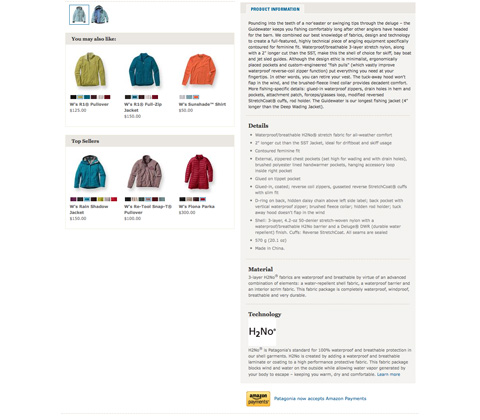
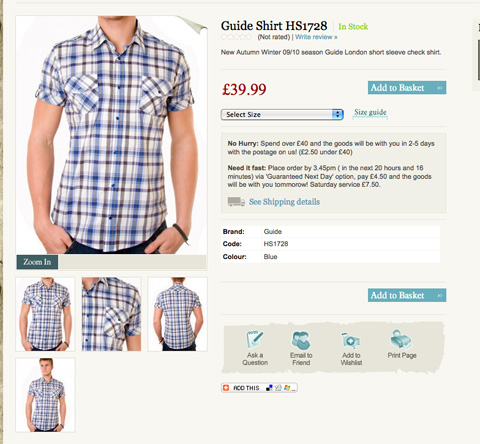
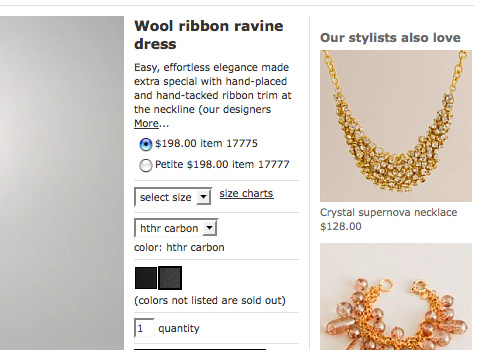
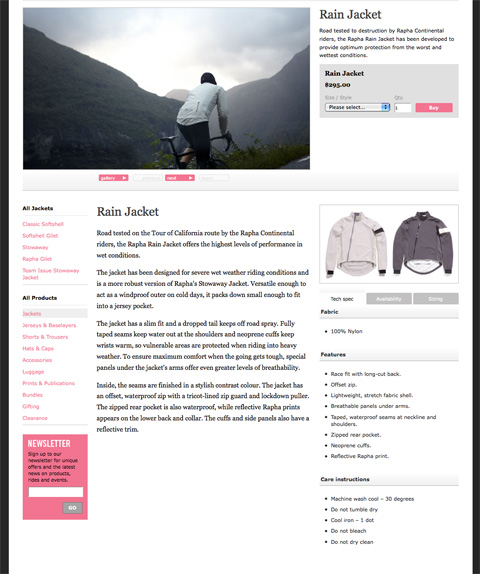
Provide as much product information as you can. Sizes, materials, weight, dimensions, and any other pertinent information depending on what the product is. For example, in an online clothing store, you might include the fabric type, sizes and colors available, a size chart (usually linked from multiple products), the weight or thickness of the item, the cut and fit of the item, care instructions, and comments about the brand or designer. Using descriptive words rather than simply technical terms can have a greater impact on the consumer.
Examples
2. Hiding Contact Information
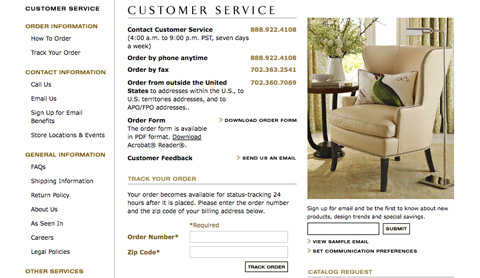
Consumers want to know that they’re dealing with a real company when they hand over their credit card information. They want to know that if they have a problem they’ll be able to talk to a real person and get the help they need. If your site doesn’t provide any contact information, or hides it so the consumer can’t find it easily, they’re less likely to trust your site, and therefore less likely to do business with you.
What To Do About It
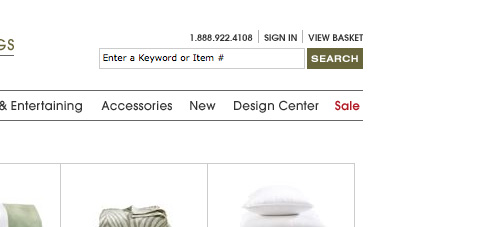
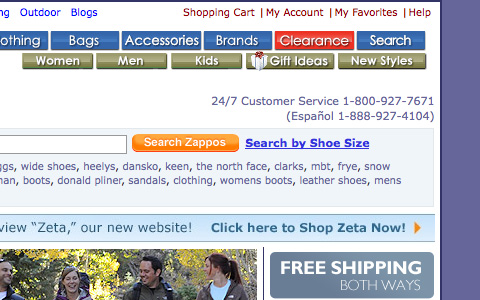
Put your contact information in an easy-to-find place on every page of your website. The most obvious places to put your contact information are either in your header, the top of your sidebar, or in your footer. Provide multiple means of contact if possible. A contact form, email address, phone number, and mailing address all add to the level of customer trust. Remember, too, that the more expensive or technical the product you’re selling, the more likely a consumer is going to want more contact information.
Examples
3. A Long or Confusing Checkout Process
This is one of the most damaging mistakes an ecommerce site can make. You have to make it as easy as possible for your customers to hand over their credit card information and complete their order. The more steps you put between them placing an item in their cart and actually paying for it, the more opportunities you give them to leave your site without completing their purchase.
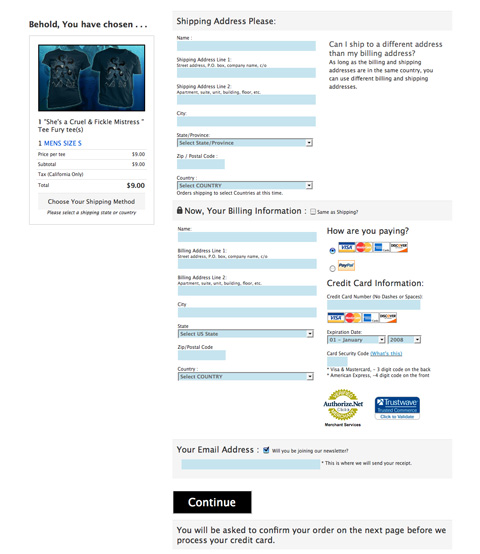
The ideal checkout process includes a single page for consumers to check their order and enter their billing and shipping information, and a confirmation page before they submit their order. Anything more than that is only an obstacle to completing the checkout process.
What To Do About It
Follow the ideal model as closely as you can. If you have to include other pages, try to make them as quick and easy to fill out as possible. Combine pages if you can, and use two-column layouts for certain sections (like putting billing and shipping information next to each other) to make pages appear shorter.
Examples
4. Requiring an Account to Order
This ties in directly to the previous item. If you require a customer to sign up for an account before they can place an order, it’s another obstacle you’ve placed in their path. Which is more important to you: getting the order or capturing customer information? Remember that the second option may mean losing some customers.
What To Do About It
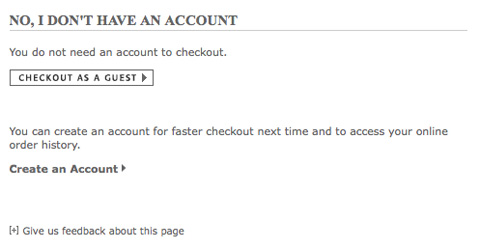
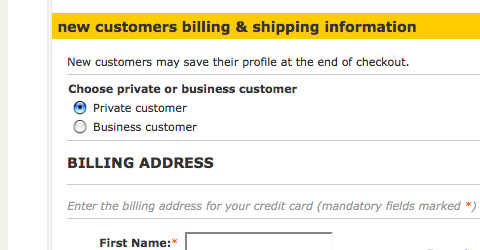
There’s an easy fix for this. Instead of requiring a customer to sign up for an account before they order, offer them the option at the end of their ordering process. Give them the option to save their account information to make placing future orders easier or to track the status of their current order. Many customers will opt to save their information, and you won’t be driving away customers before they’ve completed their order.
Examples
5. An Inadequate Site Search Engine
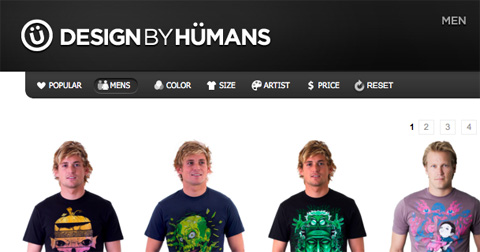
If a customer knows exactly what they’re looking for, many will opt to use a search engine instead of sifting through categories and filters. You need to make sure that the search feature on your site works well, and preferably has filters for letting customers refine their results.
How often have you searched for a product on a large ecommerce site and been returned with hundreds of applicable results? While the variety of options can be nice, if half of those results are nothing like what you’re looking for, it’s more an inconvenience than anything else. Including a way for customers to filter their search results by category or feature eliminates this problem.
What To Do About It
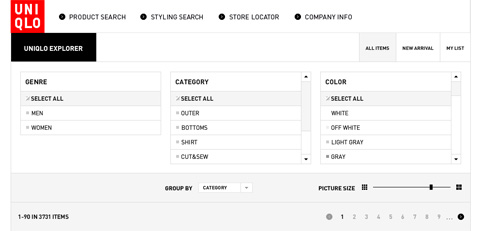
Make sure the ecommerce software you’re using has a good built-in search engine, or look for plugins to extend its functionality. Ideally, an ecommerce search engine should let users search by keyword and then refine results based on the categories your site includes. Let users sort their search results based on standard criteria (most popular, highest or lowest price, newest item, etc.) as well as eliminating items that don’t fit within a certain category.
Examples
6. Poor Customer Service Options
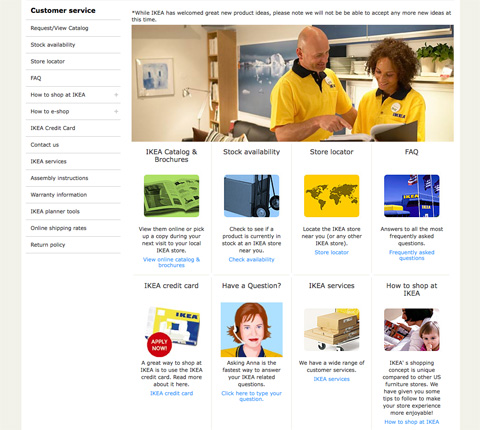
This is similar to the hiding contact information bit above. You need to make it easy for customers to get in touch with you if they have a problem or question. Make it clear what the best way to contact you is if they have a technical question, a sales question, or they want to return an item. Offering a help request form for customers to fill out can instill more confidence than just an email address.
What To Do About It
Use a ticketing system for customer service inquiries, especially if you don’t have a phone number available. Make sure that you post a FAQ that covers common questions customers might have, like what your return policy is or what to do if they need to order parts or replacement items.
Examples
7. Tiny Product Images
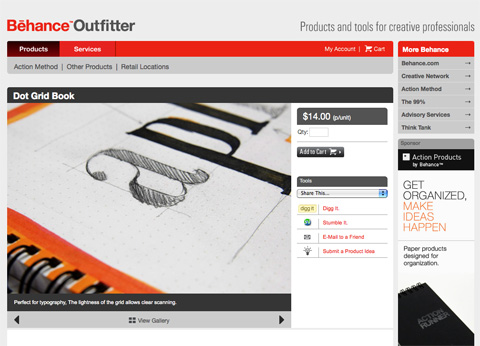
Since consumers can’t physically handle the products you’re selling before placing an order on your website, you need to do as much as you can to recreate and improve upon that experience. Tiny product images don’t effectively do this.
What To Do About It
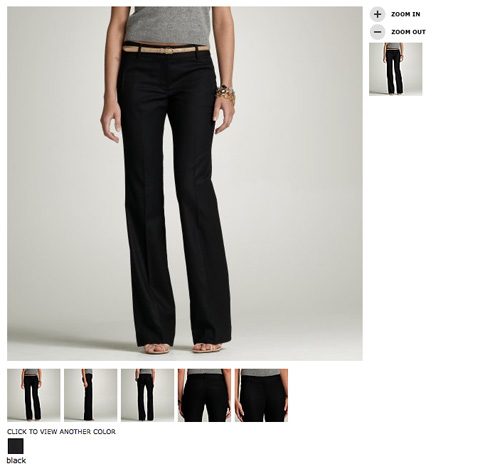
Either provide large images right on the product page or allow users to click on an image to zoom in. You want users to be able to view the image as large as is practical on an average monitor. This means an image that enlarges to 1024×768 pixels is a good size to aim for.
Examples
8. Only One Product Image
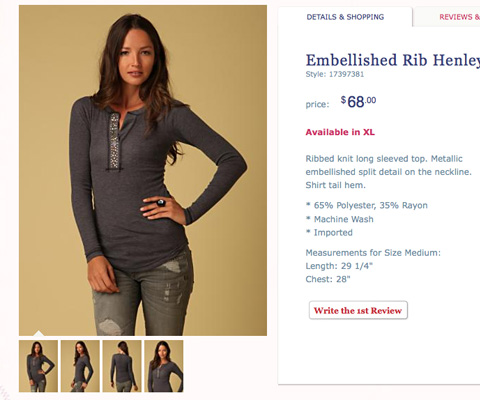
Unless your product is delivered digitally (and even sometimes if it is), you’ll want to provide multiple images from different angles. An image in each color, of the front, back, and sides, and even detailed shots of specific features can all go a long way toward making a consumer more likely to buy from you.
What To Do About It
This one’s simple: include more images. Four or five images of each product are ideal, offering enough views to allow a consumer to feel comfortable that they know exactly what they’re getting.
Examples

9. A Poor Shopping Cart Design
Your shopping cart is an incredibly important part of your ecommerce website. It needs to allow users to add multiple products, to revise the quantities or other options about those products, and it needs to remain transparent at the same time. Not exactly the easiest thing to do, right?
What To Do About It
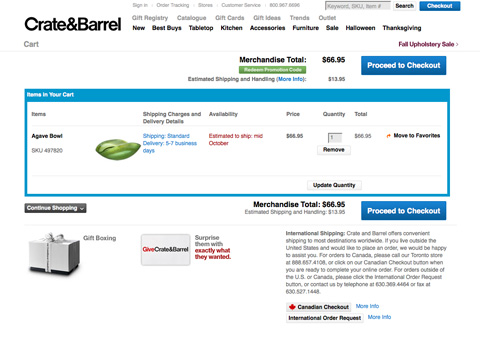
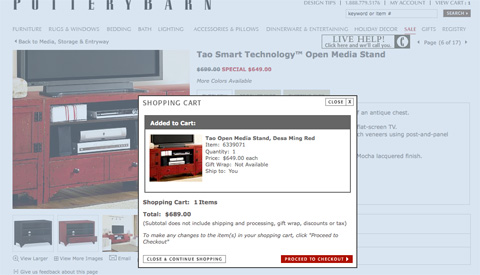
Make sure your cart lets a user add an item and then return to the last page they were on. Even better: allow them to add an item to their cart without ever leaving the page they’re on (by using a mini cart). Let your customers edit the quantities of items in their cart or remove an item from their cart. And let them preview what shipping charges will be before they start the checkout process.
Examples
10. Lack of Payment Options
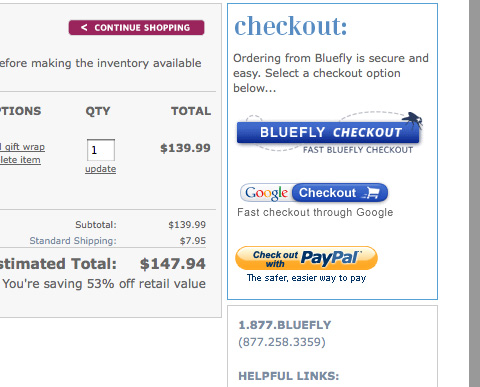
There are plenty of sites out there that only allow users to pay with Visa or MasterCard, or to only pay with a PayPal account. There’s no reason for this anymore. What about the person who has an AmEx and doesn’t have or want a PayPal account? What about the person who doesn’t have a credit card and wants to pay straight from their bank account? You need to provide as many payment solutions as is practical to optimize the number of orders you get.
What To Do About It
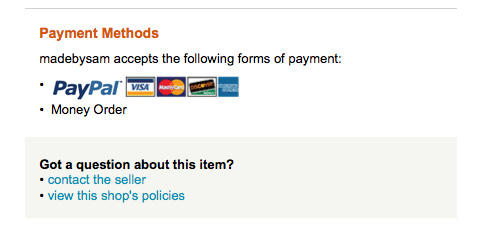
Use a payment service that lets customers pay with each major credit card, and preferably also with an electronic check. Adding a PayPal checkout option increases the choices your customers have, making them more likely to purchase from you. Considering different consumers have different preferences when it comes to making online payments, catering to as many as you can means you’ve expanded your customer base.
Examples
11. Not Including Related Products
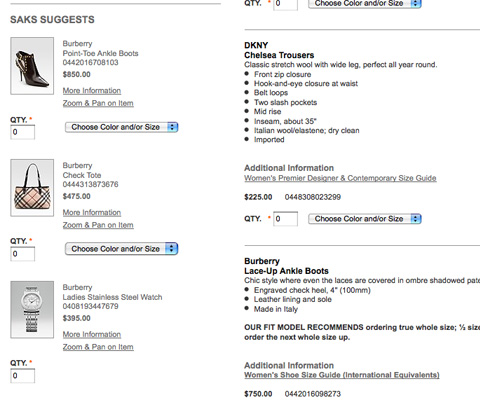
You’ve probably noticed when you go to a brick and mortar store that they group similar products together, or otherwise make it easy for you to find products that are related to you. They’ll put a battery display in the electronics section, or include cell phone cases near the cell phones. The same can be done on your website, and can increase add-on sales for you business.
What To Do About It
Use an ecommerce platform that lets you include related products on product description pages. A platform that will let you manually choose related products can also give you a big advantage, since you may see relations that a software program doesn’t (such as coordinating clothing pieces to create an outfit).
Examples
12. Confusing Navigation
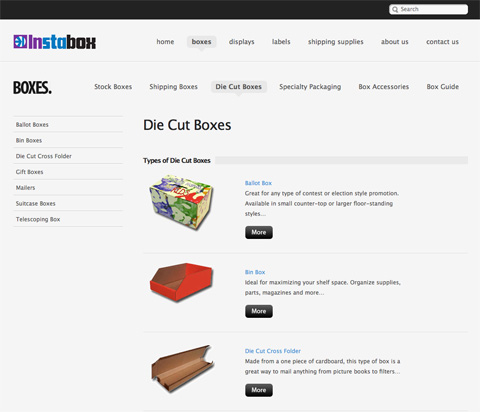
There’s nothing worse than trying to find a product on a site with confusing navigation. Or even worse, an online store that doesn’t use categories or otherwise separate their merchandise to make it easier to find a specific type of product. The same goes for sites that have categories with no products in them or with only one or two items. Why even bother with a category?
What To Do About It
Think through your categories and navigation elements carefully before you start putting products in your catalog. Make sure that every category has at least a few products in it, or else group smaller categories together (or include them in larger, similar categories). Make it easy for customers to look through different categories, get to their shopping cart, and otherwise move around your site.
Examples
13. Not Including Shipping Rates
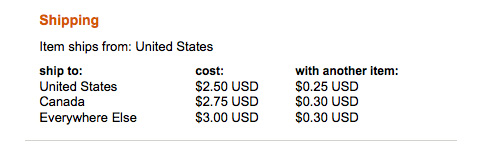
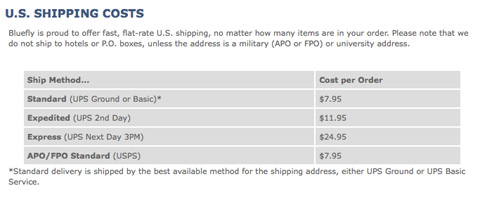
There’s no good reason not to include accurate shipping rates on your site. I’ve abandoned purchases on numerous occasions because it said something like “We’ll email you with an accurate shipping quote for approval before processing your order.” When shopping online, I want to be able to complete my order all at one time, without having to wait around for an email to decide whether the shipping charges are too high. Include your rates on your site, no matter what.
What To Do About It
Most major shipping companies and the USPS offer shipping calculators on their website, and there are plugins or widgets available for most major shopping cart systems to figure shipping charges on your site. Use one. If you can’t use one for some reason, then use a flat shipping rate that’s high enough to cover whatever it is you need to ship. For particularly heavy or large items, you can always include a freight surcharge in the price (just be sure to indicate that’s where the additional cost is going).
Examples
14. Not Including Store Policies
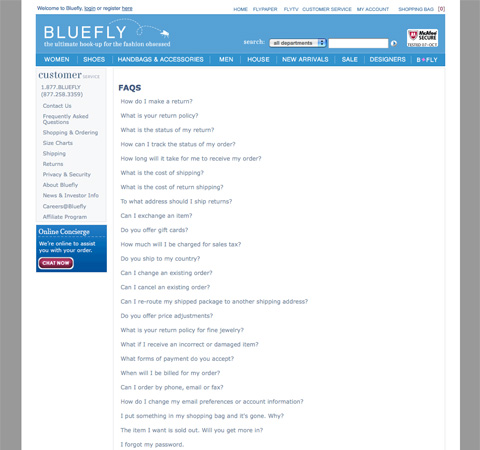
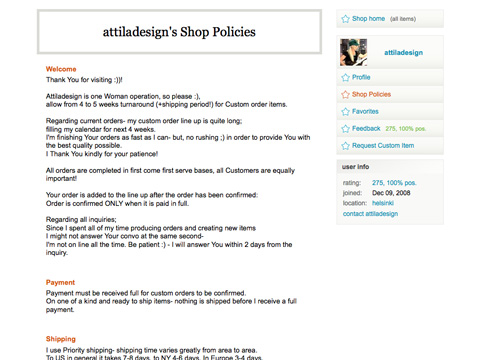
Before a customer buys from you, they’ll likely want to know what your shipping policies, return policies, and other store rules are. And there’s no reason not to post this information in a FAQ or somewhere else on your site. Making your store policies clear upfront can save a lot of headaches later on from customers who are unhappy with an order they’ve placed.
What To Do About It
Use an FAQ or store policies section on your site to spell out exactly what your rules are for different kinds of customer interaction. It’s something that can save you tons of problems down the road.
Examples
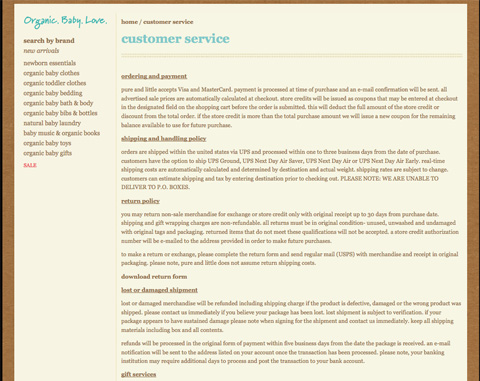
15. Not Putting Focus on the Products
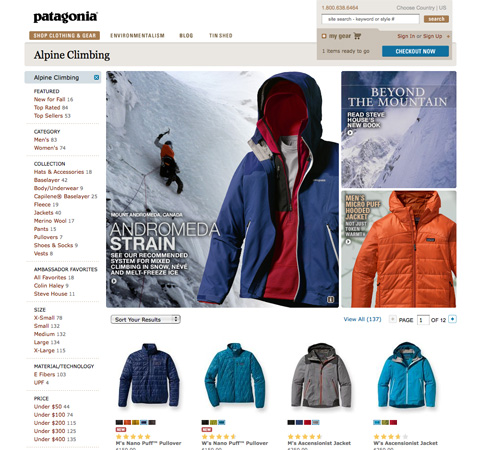
The goal of an ecommerce site is to sell products (or, at least, that’s what the goal should be). If your site puts more focus on bells and whistles or the design itself, it’s not achieving that primary goal. Make sure your site displays your products first, and everything else second.
What To Do About It
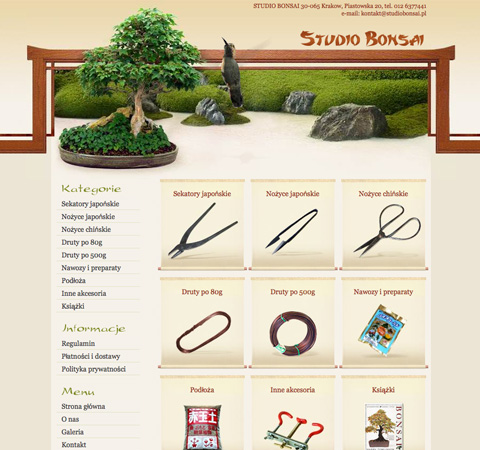
Think about how products are displayed in brick and mortar stores. While an in-store or window display may show a lot more than just the products for sale, they all contribute to showcasing the products in their most flattering light. Do the same with your website. Make sure that every design element present is doing something to showcase your products in their best possible light.
Examples
Further Resources
- Ecommerce Website Design’s 6 Common Mistakes
A quick rundown of some common ecommerce design mistakes. - 5 Ecommerce Design Mistakes
A short article on some common ecommerce site design mistakes. - 3 Common Mistakes of the Ecommerce Company
A short article covering three major mistakes ecommerce sites make. - 5 Big eCommerce Design Mistakes
A very well-written article that covers some of the most common mistakes ecommerce sites make. - Top 10 E-Commerce Mistakes to Avoid
An excellent article covering some of the most common ecommerce mistakes. - How to Avoid 7 Fatal Ecommerce Mistakes
Covers taking a proactive approach to your ecommerce design to avoid mistakes. - 5 Common Ecommerce Mistakes
A great article from Boagworld on common mistakes in ecommerce design.



Armig Esfahani
October 8th, 2009 5:09 amGreat post.. these mistakes are really so common.. Specially in Middle East :)
mdzo
October 8th, 2009 5:10 amvery useful… thanks!
lauragua
October 8th, 2009 5:17 amThe most annoying by far is n.4: Requiring an Account to Order.
- I’m already buying it is not enough for you? -
;-)
Gonzalo
October 8th, 2009 6:05 amGreat post, thank you for sharing with us your knowledge…
bs.kishore
October 8th, 2009 6:12 amGreat post…very relevant info.
Quakeulf
October 8th, 2009 6:17 amThe most important thing omitted from this article is:
WHERE DO THEY SHIP TO?
So many times when I see something I want to order from the internet I have to look through a whole lot of text only to discover they can only send to Canada and Mexico. Why isn’t this more visible? If it was they’d probably get a shitload more customers, me among them. Amazon is a BIG offender of this.
PLEASE MAKE IT EASY TO UNDERSTAND WHERE YOU, THE COMPANY, SHIP TO.
Thank you so much for your time.
Signed,
Frustrated customer
Samer Forzley
October 8th, 2009 6:18 amGreat post, great content for those in eCommerce. Every one of these adds a little bit. Site conversion can always be improved, i think the average for eCommerce now is still in the 2% range. Interesting to note too that eCommerce while it continues to grow even in the tough economy.
Payment options also help bring new customers, its a proven fact, not all customers are the same and people want to pay their own way. (full disclosure, I work for eBillme http://www.eBillme.com where you can pay with cash, without signing up or giving up any financial information).
Other services such as http://www.bazzarvoice.com has proven to be successful in helping conversion as they allow for reviews. Services like BBBonline, HackerSafe, etc… all help
As well, don’t forget basic stuff like, a clear return policy, clear service grantees.
azizbaba
October 8th, 2009 6:20 amThat’s another amazing work! Thanks.
Joe
October 8th, 2009 6:22 amGreat idea. Too bad that most e-comm system budgets don’t allow for the majority of these suggestions. Major brands can afford to implement some of these major e-comm improvements, but most small-biz isn’t going to have that luxury.
Baggy75
October 8th, 2009 6:22 amGood article on an interesting yet often misunderstood area of web design.
Also you managed to get E-Commerce Design as a trending topic on Twitter, mostly from re-tweets of this article, me thinks. Simples.
Vincent RABAH
October 8th, 2009 6:26 amThank’s for this excellent tutorial !! I will take care of all your advises for my up-coming e-commerce site :)
Phil
October 8th, 2009 6:34 amYeah, big up! If you ever bought something online (and let’s be honest, who hasn’t), you’ll prolly recognise some of these problems.
Matt Andrews
October 8th, 2009 6:34 amOne issue I have with the ‘don’t make them register’ point – if I offer to give the user an account after they’ve completed a purchase, how can I secure this process? Eg, I could sign them up automatically after they’ve entered an email address, then mail them a password, but what if they make up an address, or worse, use the address of an existing customer? How do I know for sure if it’s an existing member too lazy to log in, or a malicious user?
Francis
October 8th, 2009 6:40 amThanks, I am in the process of designing an E-Store, very useful, as usual!
John G.
October 8th, 2009 6:41 amYes, I’ve run into most of these problems after using a myriad of ecommerce systems over the years. It’s amazing still how many site require you to login or create an account before you can buy, and how many platforms don’t offer an alternative.
Have these people never shopped on line before? I’ve yet to come across the “perfect” platform yet, though. The search continues…
Michel Hendriks
October 8th, 2009 6:43 am@Matt
One way to handle this is to check if the provided e-mail address is in your database already. If it is, then just don’t offer them an account. If an existing member is too lazy to log in you won’t have a problem, and malicious users will gain nothing.
@John
The platform is not the problem most of the time. Docdata commerce (my employer) has its own platform, and some customers just want consumers to create an account. For other customers we’ve implemented optional account creation after the checkout. The platform supports both.
Mike
October 8th, 2009 6:48 amIts fine and dandy, but these are big company ecommerces small business simply don’t have the man power you need at least 100 employees. Jobs include web designers to customize the website, Web Programmers to create the database structure then after that you need data administrators to enter the data, graphic designers to edit the graphics and photos, photographers to take the pictures. You can have marketers but they are unnecessary right now. Then you still need Web Programmers to maintain the amount of databases required to handle the amount of people so it doesn’t crash and so on. Easy put if your company isn’t making 1 million dollars this won’t work.
What you need is plan old consumer confidence.
Plus you are missing a big issue
1. Customer Service, Customer Service, Customer Service. Ya like online support? Otherwise everything else is pointless.
That is embarrassing.
JayDubYah
October 8th, 2009 6:54 amThese aren’t mistakes on a FEW sites…this seems to be “SOP” industry wide.
Thanks for the post!
AJ
October 8th, 2009 7:03 amGreat article, its sad how often these mistakes are made in E-Commerce. I’ve been trying to point these things out to the place where I work for some time now.
Wib
October 8th, 2009 7:08 amIronically, Items #4 and #10 are the reasons why I can’t pre-order the Smashing Book.
Edison Leon
October 8th, 2009 7:15 amVery good article, keep it coming, I’m hungry for more on e-commerce knowledge
Bonkers
October 8th, 2009 7:18 amI have just launched a new e-commerce site and top marks to our design and code team for passing this test – great article – thanks!
Polanck
October 8th, 2009 7:34 amVery useful. Thanks!!
Sean
October 8th, 2009 7:37 amExcellent article, some things I would never have considered in here. However, you can checkout using PayPal (at least in some situations) without having an account, I believe.
Joe Barstow
October 8th, 2009 7:39 amAlright so its on the table! great thank you for bringing up these valuable points. While I feel that most of this should be second nature to more seasoned designers, its not to beginners and more importantly the higher-ups who get the say-so on how the ‘real-estate’ (blech) is used.
In short – A great article! — Especially to show your boss who wants to cram monetization methods into every pixel :)
fyi misspelling under point # 2. search for “hadn”
Murray
October 8th, 2009 7:45 amGreat post to forward to people looking to get into eCommerce.
Although all of this would seem like common knowledge, I’m astounded by how many eCommerce stores completely miss the point.
I find myself to be very picky when it comes to even the smallest details. I don’t know why but I don’t even bother with completing a transaction if the shopping cart uses multiple pages. One page checkout remove the hassle of second guessing, streamlined, and will easily increase revenue.
Although this post is focused on the actual design, incorporating customer service features helps a ton. Live help features, through chat, will really help people that may seem a bit wary about buying a product. They’re able to talk directly with someone, get help ordering, find their shipping, and more. I think a lot of people still long for the person to person contact when shopping, so using live chat bridges this gap.
Also one thing to consider. Always test different variants. Just because the design looks flawless, changing the color of a button, orientation of pictures, headlines an other copy can show you great little spikes of conversion. Split testing is really easy so you may as well do it.
David Brown
October 8th, 2009 7:46 amNext time, please summarize the 15 points as headlines preceding the paragraphs!
As it stands now, the main things I see on the page are “What to do about it” and “examples,” which makes reading/scanning/processing the information difficult. We may not all have the time to cherry pick the ideas out of your paragraphs. Having meaningful headlines will also help your SEO!
James
October 8th, 2009 8:30 amYou have a spelling mistake…
“Consumers want to know that they’re dealing with a real company when they hand over their credit card inforamtion.”
Also, it’s extremely important to have a phone number available. There are so many people that would rather call a number to get the information they need – or even just to find out if the company is actually legit.
investigation
October 8th, 2009 8:38 am…There’s something funny going on with Smashing Magazine’s retweet counts.
Neither TweetMeme, ReTweetist or Retweet.com indicate that the number of times these articles have been retweeted is any more than ~300 …yet you guys indicate that the true number is several times more…
Anyone else think this is fishy?
Nox
October 8th, 2009 9:01 amI think it would be a good idea to offer registration in the checkout process so once the customer is in the form-filling mode he could do only a few more clicks and be registered as well
Mark
October 8th, 2009 9:30 amNot a bad article at all, and valuable for the most par. But when I read the words “there’s no good reason” to do (or not to do) something…that’s oversimplifying things.
There are TONS of good reasons some of these things cannot be done, namely: Technological restrictions, the nature of your products, established business policies, legal restrictions, lack of resources, lack of people, lack of money, and the list goes on.
Carla
October 8th, 2009 10:00 amIntegration and customization is so important and then it works like MAGIC! It really is a beautiful thing. Seifert Technologies provide e-commerce solutions with MainStreet Commerce, BusinessFlow it’s the complete commerce solution across all sales channels.
Brandy
October 8th, 2009 10:04 amChoosing a trusted partner can really save you your sanity while going through the setup process. Seifert Technologies serves businesses all over the U.S. because they customize and integrate for businesses.
Josh Tummel
October 8th, 2009 10:50 amGood article, but 2 spelling fails in this sentence:
“Consumers want to know that they’re dealing with a real company when they hadn over their credit card inforamtion.”
Brendan Regan
October 8th, 2009 11:56 amI’m a huge Smashing fan, but I have to call you on your oversimplification of the “ideal checkout process” in #3. Your general point is well-taken, but to advise that every site should have what is commonly called a “one-page” checkout is dangerous advice. It works for a lot of sites, but every site is different, yes? I’ve had clients switch from multi-page to one-page checkouts, have staggering drops in conversion rate, and switch back within 24 hours, so this is something that shouldn’t be done just because everyone is doing it.
Floris Fiedeldij Dop
October 8th, 2009 12:02 pmKeep these sort of articles coming, this is what makes SM for me. Any beginning freelancer in the world of the widest webs can read up and get a glimpse of what good design is, good layout, good approach to development, etc.
kudos
David A
October 8th, 2009 12:36 pmOne of your best articles, and that’s coming from a longtime reader.
Heather Feimster
October 8th, 2009 12:37 pmGood roundup of ecommerce tips, tools and industry standards here. While I agree with the few on here who pointed out that some of these don’t work for every online store, they are a good set of standards to strive for.
In the future, I’d like to see some more information about non-traditional online stores. For example, stores that offer non-tangible (downloadable, even) items or stores that offer “renting” as an option (like furniture or textbooks). It would be interesting to see other kinds of trends in these different kind of online stores.
Definitely going to refer to this for the eCommerce site we’re currently developing!
Josh Minnich
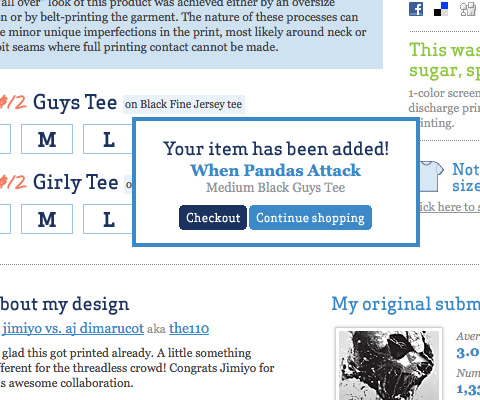
October 8th, 2009 1:04 pmI don’t see how you can bash Threadless for poor shopping cart design. Poor shopping cart design should be more about if the “cart” is not doing what it should be; and that’s not keeping track of items the customer has added. Instead Threadless takes a great approach to online shopping and that’s allowing customers who may come to the site for one item, and wish to checkout right away. The solution also doubles as letting users know the “cart” has the item you have picked and you can continue shopping without worrying if your item is actually there. How much would that suck if you added 10 shirts and only 6 of them actually were there when you went to checkout?
Robin Robbins
October 8th, 2009 1:13 pmNice article, but so true is your own experience. I spent too long on my iPhone trying to buy something, I got aggravated but kept on because I was too hungry to not complete the steps. BUT man I was in a bad mood when I was finished. Shopping Carts should be almost non-existent until you want to check out. It also provides a kind of out of site out of mind, buy the whole thing kind of flow. When I don’t see my cart with every add, I tend to keep adding things… Then when I check out its like OH MY did I just buy all that… :)
Oh and btw, spell check is a good thing…
Joe Barstow
October 8th, 2009 1:33 pmseriously now… are you planning on spell check?!
(SM) Sorry, we did correct these 3 mistakes now.
Amanda
October 8th, 2009 1:41 pmThis is fantastic, and the policies provided here can be applied in one way or another from the multi-million dollar chain to the single artist business etsy store seller, which is a point many comments here are missing. This is one of the best articles I’ve read in a long time, thank you!
Ziller
October 8th, 2009 1:53 pmWho cares about spelling mistakes. We are web marketers not English teachers. It is a good article and points our many true factors.
developer
October 8th, 2009 2:06 pmNice, but don’t forget to spell check ;-)
Max Quattromani
October 8th, 2009 3:56 pmGreat post, very useful. I will be looking at my own work with a keener eye with this newfound knowledge.
Alice
October 9th, 2009 12:01 amquoting_Joe Barstow (October 8th, 2009, 1:33 pm)
seriously now… are you planning on spell check?!
I thought it was a stupid game on psycology of the perception!
anyway, thanks for the article, very useful.
Alice
Martin
October 9th, 2009 2:58 amRequiring an account is not a mistake.
Greg
October 9th, 2009 4:23 amyou’re a mistake
Bo
October 9th, 2009 4:54 amVery very useful article. My current project is a webshop and after reading this I understand some things need to be improved. Thank you.
Hilmy
October 9th, 2009 5:15 amVery interesting dissection of the issue. However getting a perfect solution for ecommerce sometimes means “get some loose some” game. As the system greatly depends on shopping cart and payment gateways, our choice of a “good” ecommerce solution becoming so limited in the end. Getting a customized solution that satisfies all our requirements may not be economically sound for most..
Francisco
October 9th, 2009 12:17 pmVery nice tutorial. Thanks.
memobr
October 9th, 2009 1:04 pmbrilliant fantastic…
Chris
October 10th, 2009 2:02 amNice guys… thanks a lot, directly checked our actual project… look good though
creativebrain
October 10th, 2009 5:24 amWow… I really design e-commerce site right now. I think my site have mistake a lot and should I rebuild my site….? -___-”
so wasting my time
Adrian
October 10th, 2009 12:58 pmGreat post. The One Page Checkout for Magento just released is developed with all this in mind. http://www.silverthemes.com/premium-magento-addons/magento-one-step-checkout.html
Mark
October 10th, 2009 1:50 pmA great way to get all the shipping rates for fairly cheap, is to use rocketshipit. It supports PHP and many other languages are on the way.
Josh
October 10th, 2009 9:04 pmI am really on the fence about search. Some sites this is actually a bloat feature.
Dila
October 10th, 2009 11:24 pmThanks. Useful tips
hammu
October 11th, 2009 12:31 amvery useful tips and an eye opener
Jesse
October 11th, 2009 10:48 am“If you require a customer to sign up for an account before they can place an order, it’s another obstacle you’ve placed in their path…. offer them the option at the end of their ordering process. Give them the option to save their account information to make placing future orders easier or to track the status of their current order. Many customers will opt to save their information, and you won’t be driving away customers before they’ve completed their order.”
I (and others I know) resent being required to register to buy something. Some sites require a full registration and credit card posting before even deigning to tell you about shipping. I wonder what drives these people to throw potential customers away?
edac2
October 11th, 2009 3:44 pmNumber 4, requiring an account to order, is the biggest problem I’ve found with getting almost anything from Microsoft.
pigglywiggly
October 11th, 2009 9:33 pmI follow SmashMag .. and in addition to the design articles, i find these very informative. Some of my friends have small business, and have been asking me to make them easy to manage e-commerce sites for their businesses. But after testing a lot of solutions, I am not sure which ones handle most of the issues you point out above, atleast not without a great deal of customisation. WordPress has a nifty wp-e-commerce plugin, but not a lot of themes or documentation to get all this working. Any suggestions for a good integrated product + shopping cart application? That allows for managing different product types/categories/brands/tags, and allowing multiple product image upload, and related product specification?
Gray
October 12th, 2009 3:45 amFantastic article… Just what I needed and will definitely check out the additional reading resources on this subject. Again, SmashingMagazine you smashed it!
Gosia
October 12th, 2009 6:36 amVery useful post!
Arash
October 12th, 2009 8:44 amNice post! But I really want to have some ‘bad example’ beside these example too.
Sergio Pereira
October 12th, 2009 11:05 amI thought the post was interesting but focused mostly at the pre-sales portion of the transaction. There are more important problems (like contact and support that you mentioned) that could cause a customer to skip you or never get back to you. Things like keeping the customer up-to-date through all the fulfillment process, never omit the tracking information, allow me to check my orders/invoices even if I did not create an account, etc.
Niubi
October 13th, 2009 1:13 amExcellent article with some really useful points, thanks for posting it! For me, I find a search engine – or at the very least, a superior search-by- browsing method is essential. If I can’t find what I want within a couple of minutes, I’m out of there. Sites like http://www.dubli.com didn’t have this feature, but now they do, and it really has improved my browsing experience by 100%. Also agreed with the account – if I need an account, let me know ASAP! Not when I’m just about to buy something.
Insidedaweb
October 13th, 2009 2:25 amhello,
Please find a french translation of your so interresting article about the e-commerce mistakes.
Thanks again,
Wozza
October 14th, 2009 6:12 amRe. “A Long or Confusing Checkout Process” – the conclusion that 1 page checkout is best is one of those perceived wisdom things (a la the 3 Click Rule) and not necessarily borne out by experience – in fact in this study of the top 100 online retailers (slide 10) single page checkouts had the worst conversion rate of all by a long way!
David Kitchenam
October 15th, 2009 12:12 pmGreat post on e-commerce issues. Not every design team can cover all the bases and limitations are often the cause of a tight brief from the client.
site
October 16th, 2009 6:30 amWhich ecommerce software do you recommend?
Mark @ Alchemy United
October 20th, 2009 12:13 pmGood stuff.
But next time can the examples all be from the same 2 or 3 sites? I think it would be helpful to see good examples of these various priorities all working in concert properly.
Thanks again!
miumiugungun
December 2nd, 2009 10:40 pmthanks a lot!Good stuff~
Himanshu Khurana
December 3rd, 2009 9:23 pmThanks for such a useful post! Really appreciate the content…!!!
Imad Mouaddine
December 6th, 2009 9:32 amThanks for the post.I found it a big value.
P.S: “5 Ecommerce Design Mistakes” link in the additionnal resources is broken
Imad Mouaddine
December 6th, 2009 9:49 amI have one remark about the checkout process, the fact is should be one page, I don’t totally agree on this. I think users don’t mind clicking as long the processes is easy and straightforward. I think the solution would be testing ( A/B testing, variant testing or others) to find out which method has better conversion .
henrylow
December 19th, 2009 12:49 amThe Center for Media Research has released a study by Vertical Response that shows just where many of these ‘Main Street’ players are going with their online dollars. The big winners: e-mail and social media. With only 3.8% of small business folks NOT planning on using e-mail marketing and with social media carrying the perception of being free (which they so rudely discover it is far from free) this should make some in the banner and search crowd a little wary.
onlineuniversalwork
Alessandra
January 8th, 2010 11:14 amFantastic article, it’d be very helpful.
Ramesh Vishwakarma
May 16th, 2010 8:56 pmThanks for this useful information….
StudioDino
July 2nd, 2010 11:45 amExcellent reminder for all new web designers. Great examples. Thanks.
fu-fa-nu
July 5th, 2010 5:56 pmi agree heartily with jesse; i believe having to turn over the goods just to obtain a retailer’s shipping rates should have been on your list, well towards the top. i can’t imagine that MOST consumers don’t share my experience: a visceral aversion at being obliged to disclose such information (my phone? are you kidding?! why?) for a merchant’s storefront where i could conceivably spend my money.
i consider that to be more than a mere “obstacle”; it implies a certain attitude – at the very least, it makes for a very poor first impression. as my skin bristles, the result is an instantaneous click away, with a mental note never to visit that merchant again.
the POTENTIAL benefit in cost (as compared to other sellers of the same item), which is concealed until after you are coerced out of your private details (while a zip-code – a plus-four if ya just CAN’T do without it – works just peachy for the shops i patronize), is not at all guaranteed. it’s unlikely to be a windfall, anyway, but doesn’t it look nice in the cart? a “discount” is a discount, right? hmm, perhaps at the time; however, for me, this manipulation exacts it’s own tax at the transaction’s conclusion, leaving a sour taste in my mouth that makes a few dollars hardly worth it.
[ note: "deigning" is a most excellent word, one not nearly employed to the degree it deserves! :-) ]
Jesse
October 11th, 2009 10:48 am
“… Some sites require a full registration and credit card posting before even deigning to tell you about shipping. I wonder what drives these people to throw potential customers away?” …
Sven
July 9th, 2010 2:40 pmShowing a large image just as big as the screen does not always reflect all facets of the product and its quality. This however can be considered as the main goal to achieve in e-commerce applications. The original images we get from the producers are almost always made by professional photographers and it is a pity to scale them down and compress the jpgs. Using Adobs Scene7 image zoom is not affordable for the majority of online shops. An alternative is to use the ajax zoom jQuery and PHP image zoom – http://www.ajax-zoom.com – which basically does the same. For a small fraction of costs you can also buy a Magento extension and set it up in minutes.
Danman
July 18th, 2010 5:01 pmGood Job!
C-H
July 21st, 2010 3:57 pmlol I jizzed, it’s so awesome
louboutin
August 16th, 2010 11:39 pmOver what neck virtuoso shoe style work for the purpose of could be cult brand Charles Jourdin coupled with Roger Vivier, collaboration by working with Chanel and in addition Yves Saint Laurent.
robert
August 19th, 2010 1:47 amWow, these are cool. I was looking for some interesting e-commerce sites and this post gives me great inspiration. It’s amazing how professional they look and some are not that difficult. I’m thrilled to happen up your site today…
Jose Castro-Frenzel
October 5th, 2010 7:53 amGreat Post-
I never thought about adding bank account options for payment, I will look into that now.
Thanks
Jose
Pieter
October 16th, 2010 4:15 amHelpful post, thx. Seems so easy, but more easy to forget
Joshie
October 26th, 2010 1:55 pmThanks so much for the tips. I know a lot of people who have different sites that just dont know how to market well online and actually get people interested and wanting to have their products. It really is a shame to see it happen, and I really wish that people would be willing to take criticism and advice to make improvements and have better sells overall and happier customers.
Phill
March 27th, 2011 3:52 amThis post is old but still relevant. Reading through it I realize that my site even though it’s an affiliate site could be better in the way I sell my products. Better descriptions- it is not enough just to copy the affiliate’s description. I quite often add a video to the description if possible. http://rucksackwithwheels.co.uk/ this is one site that’s got some posts right but some terribly wrong.
Jeremy H
April 12th, 2011 10:39 pmThis is a good list, and most things simple but are often overlooked. I think one of the most important aspects of having a successful ecommerce site is having large, clear, detailed product pictures. On our website sxsheadquarters.com we really try and do a good job at this, and we feel this is the #1 thing that has worked for us. Of course, having things like visible contact info and having a well laid out and professional looking store goes without saying.
kickassidy
May 13th, 2011 9:56 amgreat info. thank you for sharing your web wisdom.
Ecommerce Design
June 19th, 2011 9:52 pmWell-designed e-commerce sites can provide a more enjoyable user experience,
and they can also be excellent sources of design inspiration. Of course, usability is far more important than appearance when it comes to creating a user-friendly e-commerce website, but having an attractive and usable site is a great combination.
Asif
September 1st, 2011 10:38 amMost of the information here pertains to product eCommerce and is relevant! But is there anything specific when you are looking at a services focused eCommerce portal that is selling seats to an event or class or which is basically selling services rather than products provided by different service providers?
Ibn Aziz
October 29th, 2011 4:02 amFinally…. someone else thinks the same way I do…. as a freelance web developer looking at common ecommerce solutions, these are things that I really appreciate.
Phil Cooper
November 1st, 2011 10:33 amThe next-worst thing to requiring one to set up an account to order is not revealing shipping charges up front. I’ve gone through the rigamarole of providing a fake name and address at some sites just to get the shipping charges, which are an overall part of the price that I’m going to pay. Shipping options and charges should be available even without having to put an item into the e-cart, just by providing a ZIP code or postal code.
Collin Davis
December 1st, 2011 8:46 pmAbsolutely brilliant post. You have touched on almost every single aspect of ecommerce web design where web developers may get it wrong. I would be bookmarking this page for future reference. Keep up the good work. Cheers!